
Descript vs. OpusClip: Editing vs. Automation
Descript and OpusClip solve different content creation problems. Descript is a full video editing platform built around text-based editing, ideal for producing polished long-form content like podcasts, interviews, and YouTube videos. OpusClip is an AI-powered automation engine that turns existing long-form videos into ready-to-post short clips for TikTok, Reels, and YouTube Shorts. Descript starts at $16 monthly, OpusClip at $15. They're complementary rather than competitive. Use Descript to create content, OpusClip to distribute it.
Choosing between Descript and OpusClip depends entirely on whether the goal is to craft a narrative from scratch or to automate the distribution of existing video assets. While both tools leverage artificial intelligence to streamline video production, they solve fundamentally different problems in the content ecosystem.
Descript remains a powerhouse for end-to-end creative control, whereas OpusClip focuses on high-speed content repurposing. This comparison explores the technical capabilities, pricing structures, and ideal use cases for both platforms.
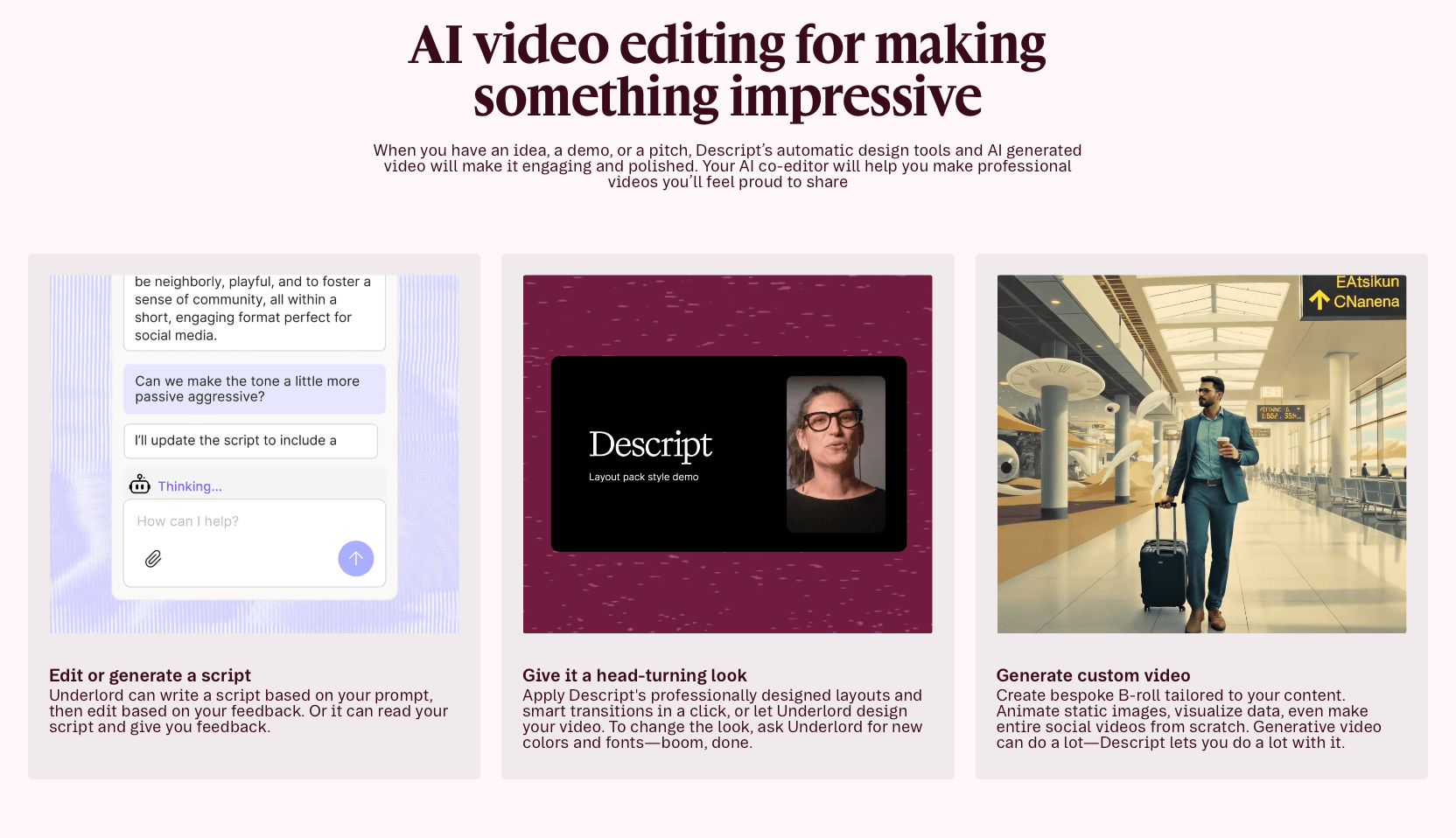
Table of Contents
Quick Summary
Choose Descript if you need a full-scale creative suite to record, edit, and polish long-form video or podcasts using text-based editing.
Choose OpusClip if you already have long-form video and need an automated AI engine to instantly generate viral-targeted, captioned short-form clips for social media.
Pricing Comparison
| Feature | Descript | OpusClip |
|---|---|---|
| Free Tier | 1 hour of transcription/mo | 60-90 minutes of credits (one-time) |
| Starting Price | $16/month (Hobbyist) | $15/month (Starter) |
| Pro Tier | $24/month (Creator) | $29/month (Pro) |
| Primary Metric | Hours of transcription | Minutes of uploaded video |
The best route is to evaluate your monthly output volume before committing to a paid tier. Descript’s pricing is based on transcription hours, making it highly predictable for original creators. OpusClip utilizes a credit system based on the length of the source video processed.
What Value Do They Say They Offer?
Descript positions itself as the "only tool you need to write, record, transcribe, edit, collaborate, and share your videos and podcasts." Their core value proposition is the elimination of timeline-based editing fatigue. By allowing users to edit video by editing text, they aim to make video production as simple as using a word processor.
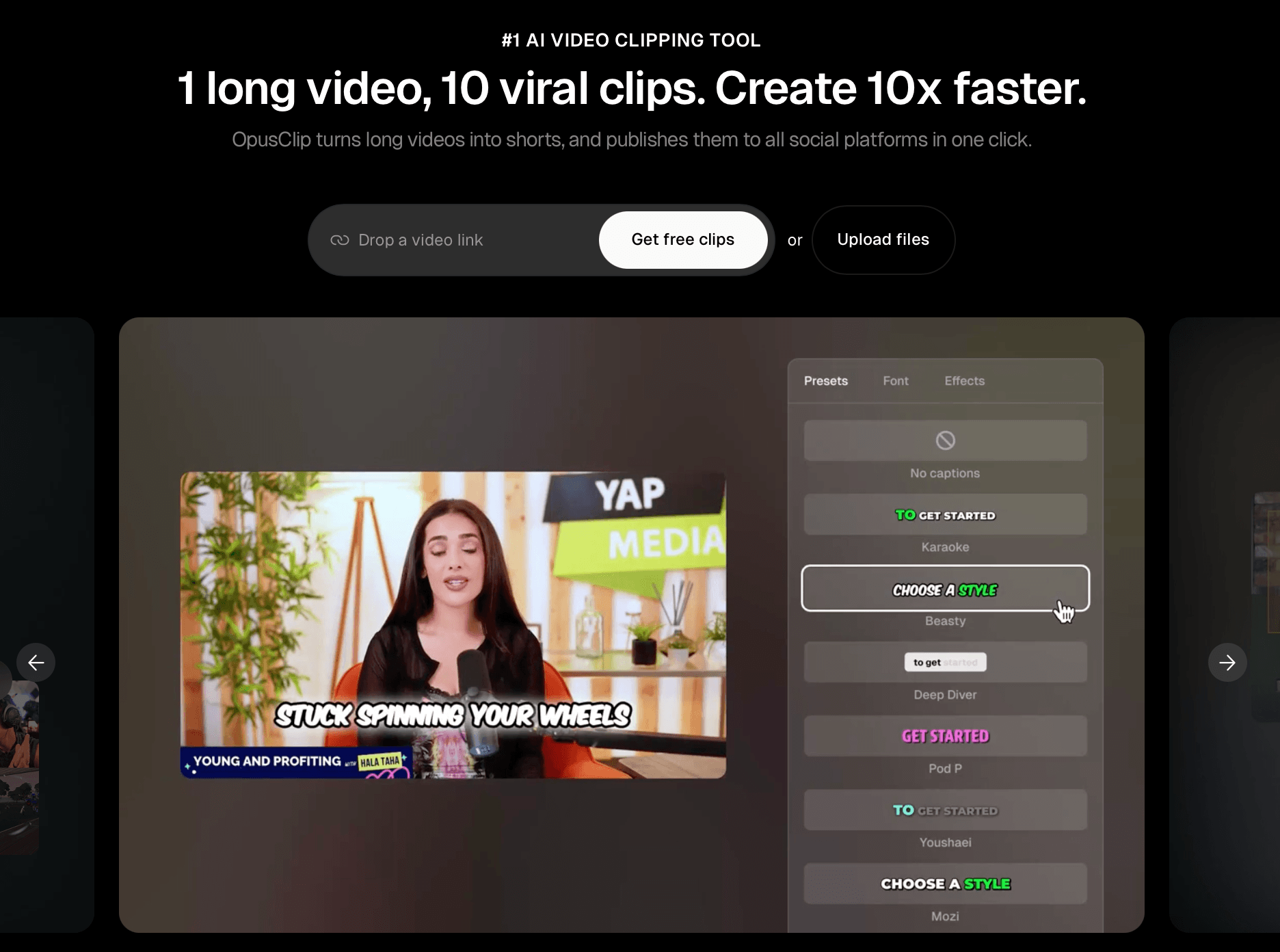
OpusClip focuses on "turning long videos into high-quality shorts." Their value proposition is centered on speed and virality. They claim to use big data and AI to identify the most engaging "hooks" in a video, automatically reframing and captioning them to maximize performance on platforms like TikTok, Reels, and YouTube Shorts.
Descript vs. OpusClip: Best Features Overview
Descript
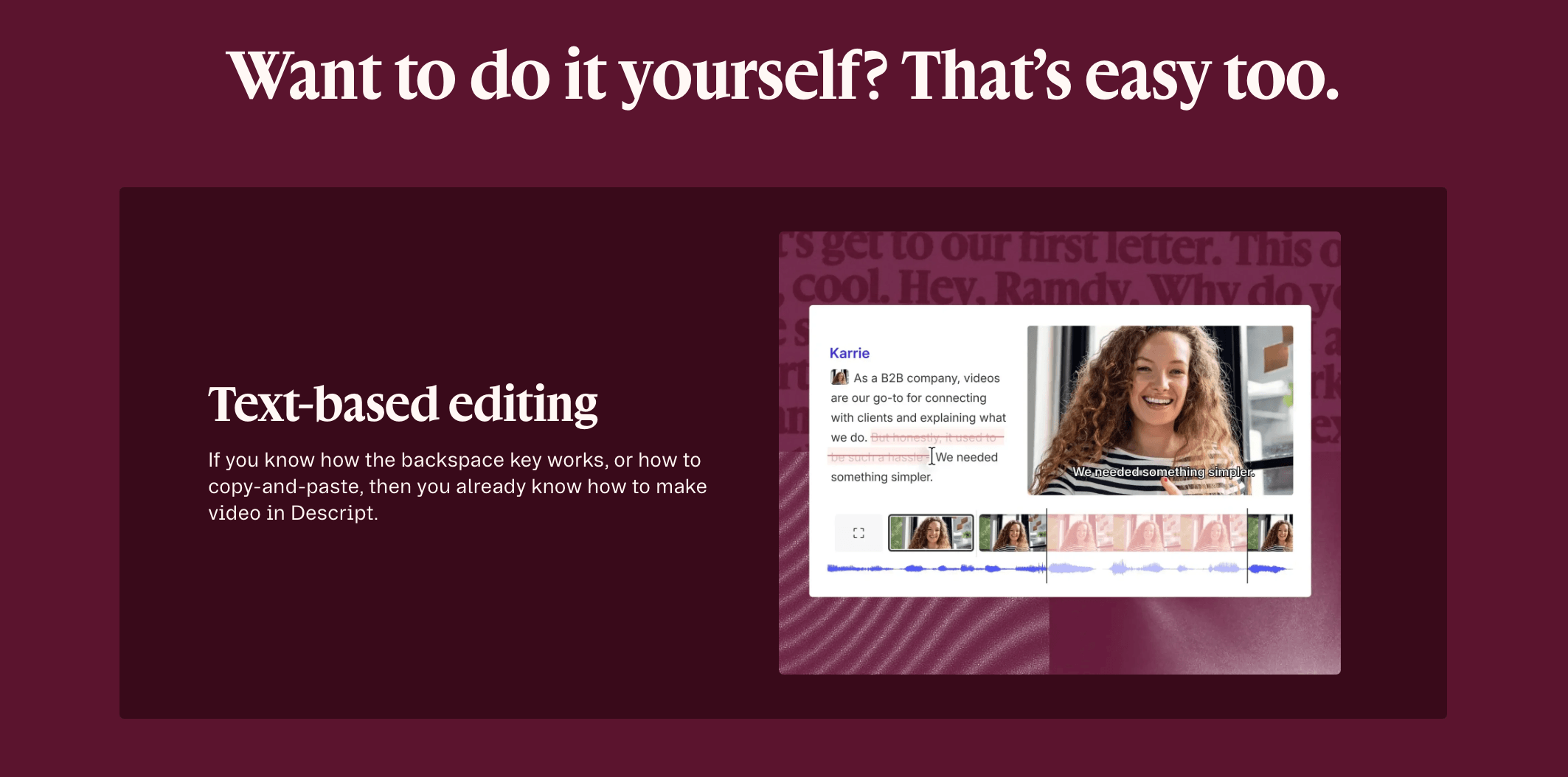
Text-Based Editing: The standout feature of Descript is the ability to edit video by deleting or moving text in a transcript. If you delete a sentence in the script, the corresponding video is removed instantly.
Studio Sound: This AI-driven audio enhancement tool removes background noise and echoes, making home-office recordings sound like they were captured in a professional studio.
Overdub: Users can create a digital clone of their voice to fix mistakes in a recording by simply typing in the new words.
Underlord: An integrated AI assistant that automates tedious tasks like removing filler words ("ums" and "uhs"), shortening silences, and generating social media copy.
OpusClip
AI Virality Score: OpusClip analyzes your video against current social media trends and assigns a score to each clip, predicting how likely it is to perform well.
Active Speaker Detection: The AI automatically identifies the speaker and keeps them centered in a 9:12 vertical frame, even in multi-person interviews.
Dynamic Captions: It generates high-engagement captions with highlighted keywords and emojis, a style popularized by top-tier creators.
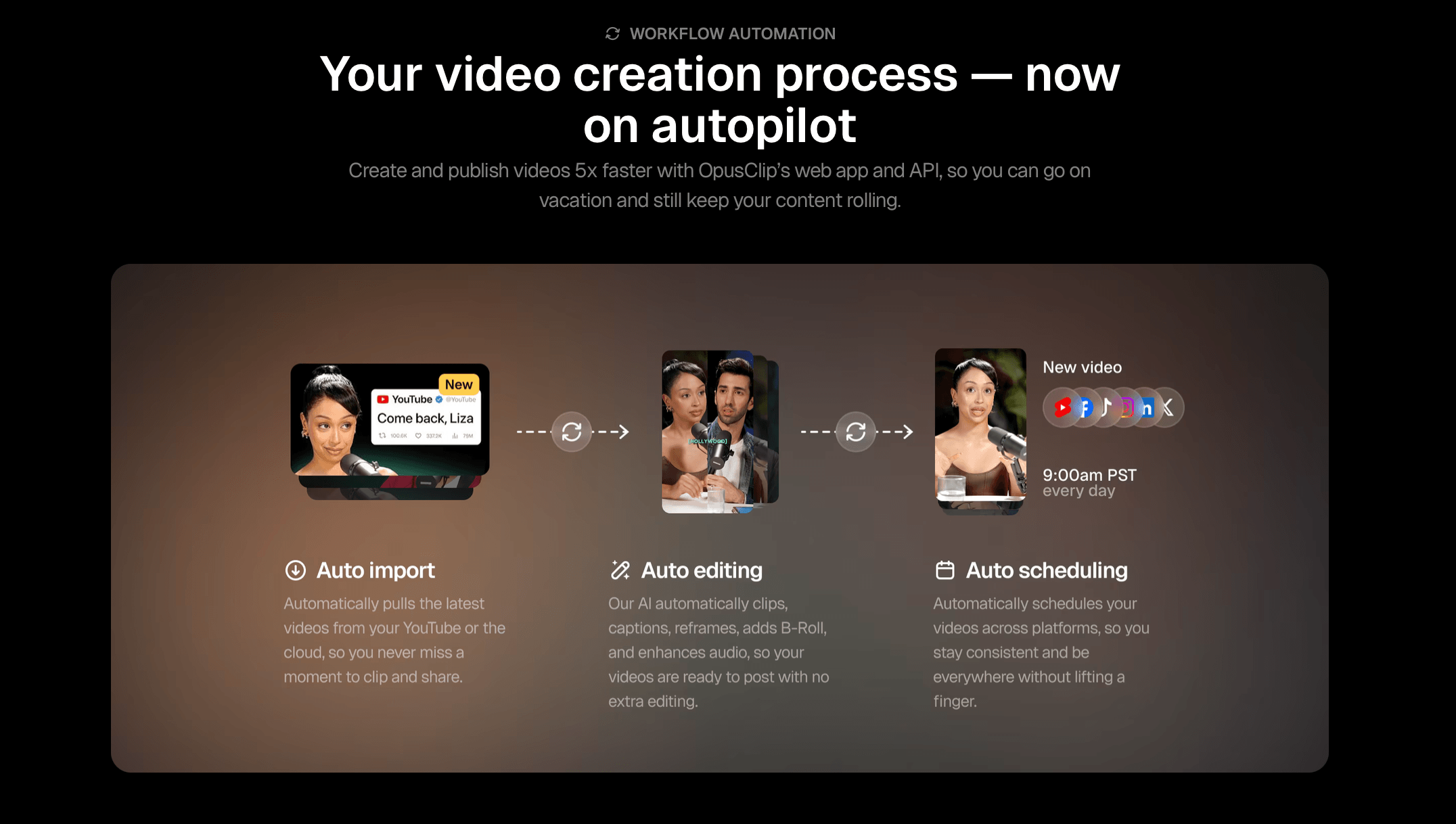
B-Roll Integration: The platform can automatically insert relevant B-roll footage to maintain viewer retention during longer segments.
Best Features Comparison to Competitors
When comparing Descript vs. OpusClip to the broader market of content repurposing tools, distinct advantages emerge.
Precision vs. Automation
Descript offers granular control that most AI tools lack. While competitors might offer basic trimming, Descript allows for complex multi-track editing. Our recommendation for creators who need a "final cut" feel is to prioritize Descript’s timeline flexibility.
Conversely, OpusClip’s automation is superior to manual tools like Adobe Premiere or CapCut for the specific task of "clipping." While you can manually create shorts in Descript, OpusClip’s ability to find the "hook" automatically saves hours of manual review.
Transcription Accuracy
Both tools utilize advanced speech-to-text engines. However, Descript’s transcription is designed for editing accuracy, whereas OpusClip’s transcription is optimized for on-screen readability and engagement. Many find Descript’s transcriptions slightly more robust for technical jargon and diverse accents.
Social Media Clipping Comparison
While both platforms offer social media clipping, their methodologies serve different goals. Descript utilizes an AI-driven "Find Good Clips" feature that suggests interesting segments for the user to refine manually. This is the superior option for creators who require granular control over transitions, overlays, and precise timing. It is a "human-in-the-loop" tool that prioritizes creative intent and professional polish.
In contrast, OpusClip operates as an automation-first engine. It identifies viral hooks, automatically reframes the video, and applies dynamic captions to deliver a finished product ready for immediate upload. While Descript provides a canvas for building a clip, OpusClip functions as a high-speed distribution factory. Use Descript for curated, brand-specific shorts and OpusClip for high-volume, trend-optimized growth.
Who is Each Program For?
Descript is for:
Podcasters: Those who need to edit out mistakes and improve audio quality without learning complex DAWs.
YouTube Creators: Individuals producing original, long-form educational or narrative content.
Internal Communications: Teams creating training videos or screen recordings who need a professional finish quickly.
OpusClip is for:
Social Media Managers: Teams tasked with maintaining a high-frequency posting schedule across vertical video platforms.
Streamers: Creators who have hours of footage (from Twitch or YouTube) and need to extract highlights without re-watching the entire stream.
Marketers: Those looking to maximize the ROI of existing webinars, interviews, or podcasts by turning them into "snackable" advertisements.
Is It Worth the Money?
When evaluating the financial investment of Descript, it’s clear that the platform offers substantial value by consolidating the functionality of several high-cost tools into a single subscription. Ranging from $16 to $24 per month, it effectively replaces standalone transcription services, audio workstations, and traditional video editing software. For any creator producing at least one video per week, the sheer volume of time saved through automated filler-word removal and text-based editing justifies the subscription cost. For serious creators, it remains a high-value investment that pays for itself through increased production efficiency.
Regarding OpusClip, the value proposition is centered on its ability to drive growth on vertical video platforms like TikTok and YouTube Shorts for a relatively low entry point of $15 per month. This cost is significantly lower than hiring a freelance editor to manually scrub through footage for highlights. Because the AI identifies the most engaging "viral" moments automatically, the software essentially functions as both an editor and a creative consultant. For businesses with a large library of idle long-form content, OpusClip offers a high return on investment by revitalizing old assets and extending their reach with minimal manual effort.
Conclusion: Final Recommendation
When weighing Descript vs. OpusClip, the decision rests on where you are in the production cycle.
If you are in the production and post-production phase, needing to refine a message and ensure high-quality audio and video, Descript is the superior choice. It is a foundational tool for building a brand’s primary content assets.
If you are in the distribution and growth phase, needing to maximize your reach with minimal manual effort, OpusClip is the industry leader. It is a specialized tool designed to win the attention economy on social media.
For most businesses, these are complementary rather than competitive. Start with Descript to establish your voice, then add OpusClip once you have a consistent output of long-form video to repurpose.
-
Descript is built for full video editing. It uses a text-based approach where you edit your video by editing its transcript, making it ideal for producing polished long-form content like podcasts, interviews, and branded video series that require precise editorial control.
-
OpusClip uses AI to automatically analyze an existing long-form video, identify the most engaging moments, and generate ready-to-share short clips, all without any manual timeline editing. A 60-minute podcast, for example, can yield multiple shareable clips within minutes.
-
OpusClip is the better choice for that use case. It's specifically designed to take existing long-form recordings and automatically extract highlights for social media. Descript, on the other hand, is where you'd go to build and refine that long-form video in the first place.

Red 11 Media is an educational platform and creative studio focused on driving growth online through strategic content creation. We help creators, brands, and businesses understand how to build sustainable audiences across YouTube, podcasting, and long-form digital content.
