
How to Record a Podcast Remotely With Studio-Quality Audio
Recording a podcast remotely with studio-quality audio requires a decent USB microphone, a quiet room with soft furnishings, headphones, a strong internet connection, and the right recording software.
Riverside excels at reliable remote recording with local-first capture and progressive uploads, while Descript combines recording with AI-powered text-based editing. Both offer free plans starting around $16-$24 monthly for full features. The key is recording each participant locally rather than using compressed video calls.
You don't need a professional studio to record a podcast remotely that sounds like you do. What you need is the right setup, the right tools, and a clear understanding of what actually affects audio quality.
Whether you're recording solo, with a co-host, or bringing on a guest from across the world, this guide walks you through everything from equipment basics to the best remote recording platforms available in 2026.

Table of Contents
What Does It Mean to Record a Podcast Remotely?
Recording remotely simply means you and your guest or co-host are not in the same physical location. Instead of sharing the same room and a single microphone setup, everyone records from wherever they are, including their home, office, or anywhere with a decent internet connection.
Not long ago, remote podcast recording meant jumping on phone calls or using tools like Microsoft Teams or Skype, which compressed audio heavily and made every episode sound like a phone conversation.
Today, dedicated remote recording software has changed everything. Platforms built specifically for podcasting record each participant's audio locally on their own computer, then sync everything in the cloud.
The result is clean, broadcast-quality audio that sounds like you were in the same room.
Why Audio Quality Matters More Than You Think
Listeners will forgive a lot. They'll sit through an imperfect topic, a rambling guest, or an episode that runs a little long. What they won't forgive is bad sound.
Poor audio quality is one of the top reasons people stop listening to a podcast, often within the first sixty seconds.
When you record a podcast remotely, sound quality becomes even more important because you're introducing variables you can't always control: your guest's room acoustics, their microphone, their internet connection.
Getting your own setup right and choosing the best recording software are how you maintain a quality podcast regardless of what's on the other end of the call.
The good news is that high-quality audio is more accessible than ever. You don't need a $5,000 microphone or a treated recording booth. You need the right tools, a quiet room, and a few good habits.

What You Need Before You Hit Record
Before you open any recording software, there are a few basics that will have the biggest impact on your sound quality.
A Decent Microphone
Your microphone is the single biggest factor in your audio quality. Apple EarPods and laptop built-in mics will work in a pinch, but they pick up room noise and lack the warmth that makes a podcast sound professional.
A USB microphone is the best starting point for beginners because no audio interface is required; just plug in via a USB cable, and you're recording.
Popular budget options deliver remarkable results for under $100 and are a significant upgrade from built-in options.
If you want to go further, an XLR microphone paired with an audio interface gives you more control over your sound and is the setup many podcasters use as they grow. But for beginners, USB is the right starting point.
A Quiet Room With Soft Furnishings
Room acoustics affect your voice more than most people realize. Hard surfaces like bare walls and wood floors create echo and reverb that recording software can't fully fix in post-production.
Recording in a room with soft furnishings like a carpet, curtains, bookshelves, or a sofa naturally absorbs sound and gives your voice a cleaner, more focused quality.
Background noise is another issue to eliminate before you start. Close doors and windows, turn off fans and air conditioning units, and put your phone on silent.
The quieter the room when you start the recording process, the less cleanup you'll need in editing.
Headphones
Always wear headphones when recording. Without them, your microphone picks up the audio coming from your speakers, your guest's voice, and records it alongside your own, creating mic bleed that muddies the final audio file.
Headphones keep your own audio clean and isolated. Closed-back headphones are ideal, though any pair that covers your ears will make a noticeable difference.
A Strong Internet Connection
A stable, strong internet connection is essential for remote recording. If possible, connect your computer directly to your router with a cable rather than relying on Wi-Fi. This reduces the chance of dropouts mid-recording.
Most modern remote recording platforms record audio locally to protect against connection issues, but a strong internet connection ensures your video recordings sync properly and the session runs smoothly from start to finish.
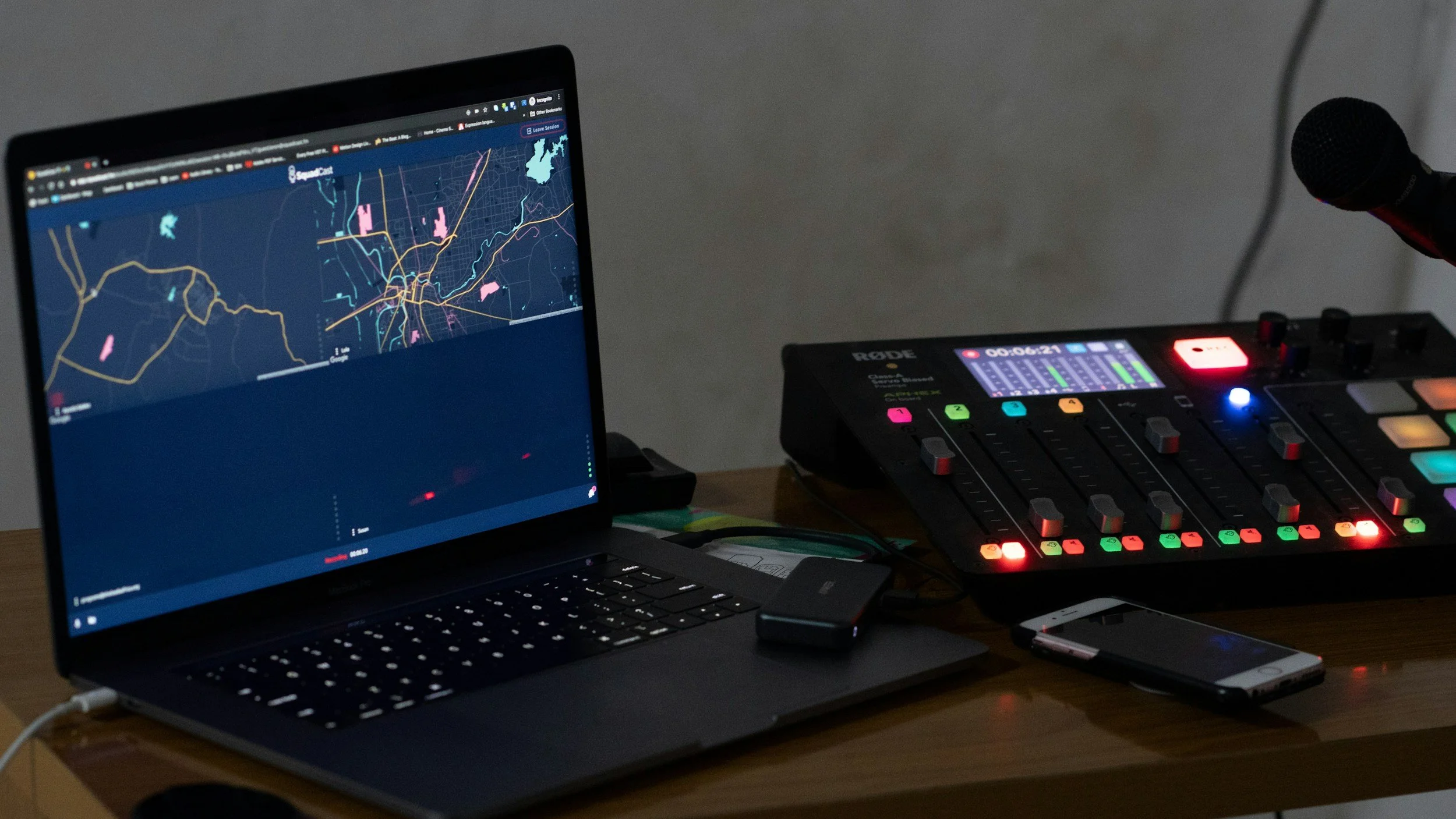
The Best Remote Recording Software in 2026
Choosing the right remote recording platform is one of the most important decisions you'll make as a podcaster. Here's how the two leading options compare for beginners.
Riverside: Best for Reliable Remote Recording
Riverside was built from the ground up to solve one problem: making remote podcast recording bulletproof. It records each participant's audio locally on their own device and uses progressive uploads to send files to the cloud in real time.
Even if the internet connection drops mid-session, your recording is preserved.
Every guest and co-host is recorded on a separate track, which gives you a huge amount of flexibility in post-production. You can adjust the volume of individual voices, remove background noise on one track without affecting the others, and edit with much more precision.
Riverside also captures video files at up to 4K, making it ideal for video podcasts destined for YouTube.
For beginners who want to record a podcast remotely without worrying about technical failures, Riverside is the most reliable option. Its echo cancellation, simple guest invite system, and clean interface mean you spend less time troubleshooting and more time having great conversations. Guests don't need an account to join; they click a link, and they're in.
Riverside offers a free plan that covers solo recording, with paid plans starting at around $24/month for full remote recording features. Try Riverside
Descript: Best for Recording and Editing in One Place
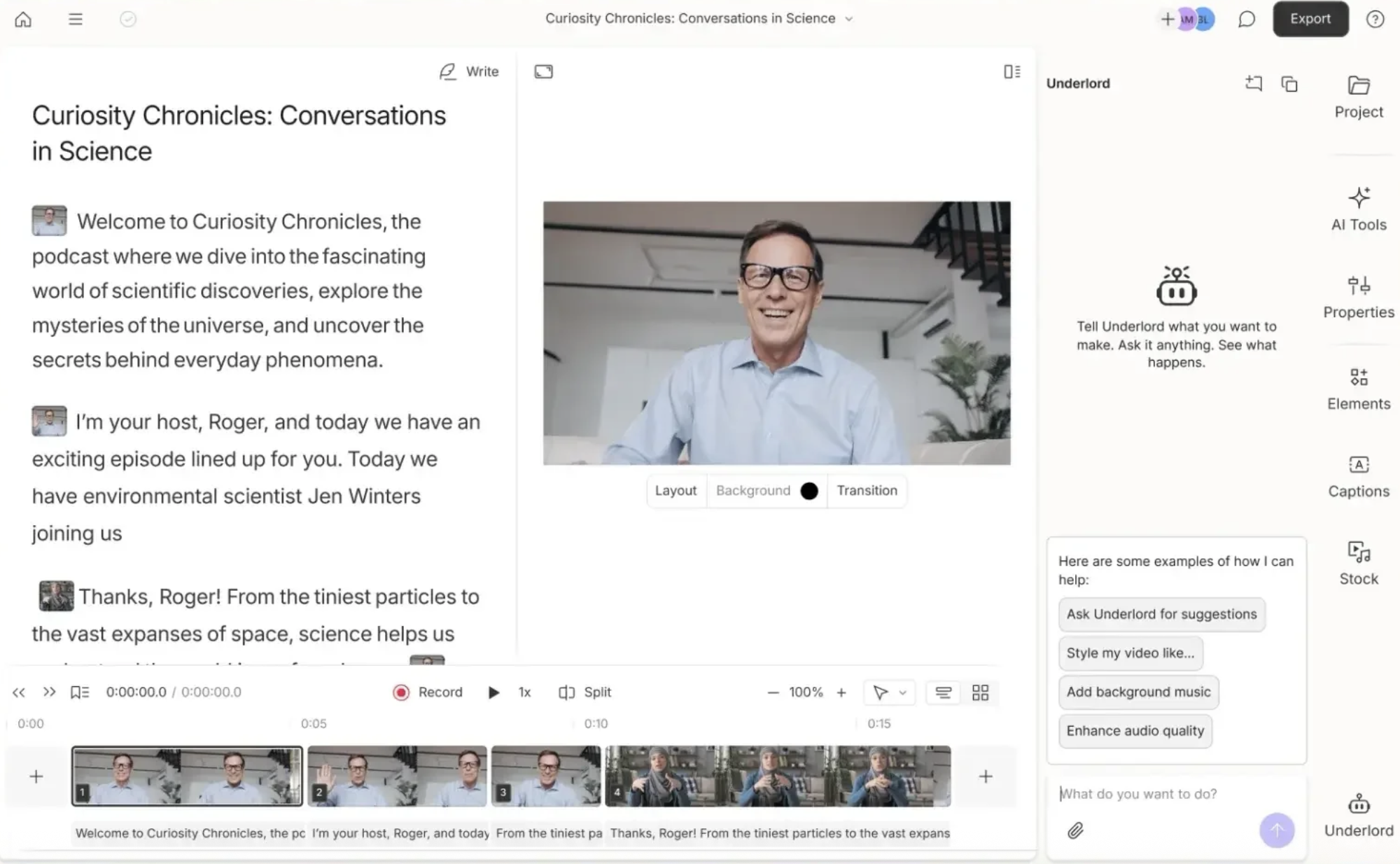
Descript started as an audio editing tool and has grown into a full remote recording and editing platform. What makes it unique is its text-based editing approach: once your podcast episode is recorded, Descript automatically transcribes it, and you edit the audio by editing the transcript.
Delete a sentence from the text, and it disappears from the audio recording. For beginners who find traditional audio editing software intimidating, this is genuinely transformative.
Descript also records participants' audio locally, delivering high-quality audio that holds up well in editing.
Its AI tools, grouped under the name Underlord, can remove filler words, reduce background noise, and even generate show notes automatically.
For a solo podcaster handling their own recording and editing, having both tools in one platform saves significant time.
Where Descript is slightly behind Riverside is in recording reliability for guest-heavy podcasts. Its recording feature is solid, but Riverside's progressive upload system and bandwidth controls give it an edge when guests have unreliable connections.
That said, for many podcasters, especially those recording podcasts solo or with one regular co-host, Descript's combined recording and editing workflow is hard to beat.
Descript has a free plan that includes basic recording and editing, with paid plans from around $16/month. Try Descript
Which Should You Choose?
If your biggest concern is capturing a reliable, high-quality remote recording with guests, especially guests who aren't tech-savvy, Riverside is the stronger choice.
If you want to record locally and handle all your editing in the same app using AI tools, Descript is worth exploring. Many podcasters eventually use both: Riverside to capture, Descript to edit.
How to Set Up Your Remote Recording Session
Once you have your equipment and recording software sorted, the recording process itself is straightforward. Here's what a typical remote session looks like.
Test your mic and headphones before your guest joins. Spend two minutes recording yourself and playing it back. Check levels, listen for background noise, and confirm your own audio is clean.
Send your guest a simple setup checklist ahead of time. Ask them to wear headphones, find a quiet room, and ideally use an external microphone rather than their phone or laptop mic. Even apple earbuds are a meaningful upgrade over a built-in laptop mic.
Open your recording software and create the session. In Riverside, you'll get a link to share. In Descript, you invite participants directly. Both platforms handle the technical side automatically.
Do a quick sound check with your guest before you start the episode. Listen for background noise, echo, or mic bleed. Small adjustments at this stage save a lot of time in editing.
Hit record and let the platform handle the rest. Both Riverside and Descript will record audio locally and upload automatically. Don't stress about the internet connection. Your audio is being saved locally throughout.
After the session, download your separate tracks and begin editing. Having each voice on its own audio file means you can mix and clean each one independently, which is one of the biggest advantages of proper remote recording software over phone calls or basic video tools.
Common Audio Problems (And How to Fix Them)
Even with the right setup, problems come up. Here are the most common audio issues when you record remotely, and how to handle them.
Echo or Room Reverb in Your Recording
This usually means you're recording in a room with hard, reflective surfaces. Move to a smaller room with more soft furnishings, or hang a blanket or duvet behind you. Closets filled with clothing are a surprisingly effective last resort recording booth. In post-production, Descript's AI tools and Riverside's background noise removal can reduce echo further, but fixing it at the source is always better.
Your Guest's Audio Sounds Thin or Distant
Ask your guest to move their microphone or phone closer to their mouth, and confirm they're wearing headphones. If they're recording on a laptop mic with sound coming from their speakers, you'll hear their voice twice: once from their mic and a delayed version bleeding through from your audio output. Headphones solve this immediately. If sound quality is still poor, try switching to Low Data Mode in Riverside, which prioritises audio quality over video.
Audio and Video Are Out of Sync
Sync issues occasionally happen with 4K video recordings when internet connections are inconsistent. Riverside has a built-in lip-sync correction tool that fixes this automatically on export.
In Descript, the text-based editing approach largely sidesteps sync issues since you're editing the transcript rather than the timeline directly. If problems persist, record video at 1080p rather than 4K. The quality difference is minimal for most podcast formats and puts less strain on the connection.
Grow Faster. Create Smarter.
Red 11 Media is an educational platform and creative studio focused on driving growth online through strategic content creation. We help creators, brands, and businesses understand how to build sustainable audiences across YouTube, podcasting, and long-form digital content.
Final Thoughts
Recording podcasts remotely has never been more accessible.
With the right microphone, a quiet room, headphones, and a platform like Riverside or Descript, you can produce a quality podcast that sounds genuinely professional, regardless of where you or your guests are in the world.
The barrier to high-quality audio isn't cost, it's knowledge. Now that you have both, the only thing left to do is hit record.
-
The two best options for remote recording in 2026 are Riverside and Descript. Riverside is the strongest choice if reliability and guest audio quality are your priority — it records each participant's audio locally and uses progressive uploads to protect against connection drops. Descript is ideal if you want to handle recording and editing in the same place, thanks to its AI-powered text-based editing tools. Both have free plans to get started.
-
Not at all. A USB microphone, a pair of headphones, and a quiet room with soft furnishings will get you surprisingly close to studio-quality audio. The biggest improvements come from eliminating background noise and mic bleed — both of which cost nothing to fix. A USB microphone under $100 is all most beginner podcasters need to produce a professional-sounding podcast episode.
-
The most common causes are a poor microphone, no headphones, or a weak internet connection on their end. Ask your guest to wear headphones to prevent mic bleed, move closer to their microphone, and find a quieter room. If their connection is unstable, switching to Low Data Mode in Riverside can help prioritise audio quality over video. Recording each person's audio locally — as both Riverside and Descript do — also protects against internet-related quality drops.
-
Yes. Both Riverside and Descript offer free plans that allow you to record remotely. Riverside's free plan covers solo recording with some limitations on guest sessions, while Descript's free plan includes basic remote recording and editing features. For most beginners just starting out, the free tiers are enough to produce a quality podcast and get comfortable with the recording process before committing to a paid plan.
-
Tools like Zoom, Microsoft Teams, or standard phone calls compress audio heavily, which results in a flat, telephone-like sound that's hard to fix in post production. Dedicated remote recording software like Riverside and Descript record each participant's audio locally on their own computer, then sync the separate tracks to the cloud. This produces clean, broadcast-quality audio files that are much easier to edit and sound significantly better to listeners.

Red 11 Media is an educational platform and creative studio focused on driving growth online through strategic content creation. We help creators, brands, and businesses understand how to build sustainable audiences across YouTube, podcasting, and long-form digital content.
