AI Video Editing Tools You Absolutely Need in 2026
The most essential AI video editing tools for content creators include Riverside for text-based editing of podcasts and interviews, Klap and OpusClip for repurposing long-form content into viral short clips, vidIQ for YouTube growth, Epidemic Sound and Artlist for AI-powered music and voiceovers, Adobe Podcast for studio-quality audio cleanup, and Adobe Premiere Pro and DaVinci Resolve with built-in Sensei AI and Neural Engine for professional editing workflows.
AI Video Editing Tools You Absolutely Need in 2026
Introduction: The Video Production Revolution
The demand for high-quality video content has never been greater, yet the traditional editing process remains a significant bottleneck for creators and marketers alike. Hours spent on tedious editing tasks, wrestling with complex traditional editing software, and struggling to keep up with the relentless pace of social media have become universal pain points for all video editors. Welcome to the video production revolution, a year where Artificial Intelligence is no longer a futuristic concept but an indispensable partner in the creative process. This shift isn't just about new features; it's a fundamental change in the philosophy of video creation, where intelligent systems augment human creativity, making professional-level results more accessible than ever before. To navigate this shift with ease, we've complied this comprehensive list of the top AI video editing tools you need in 2026.
The Urgency of AI Adoption for Content Creators and Marketing Teams
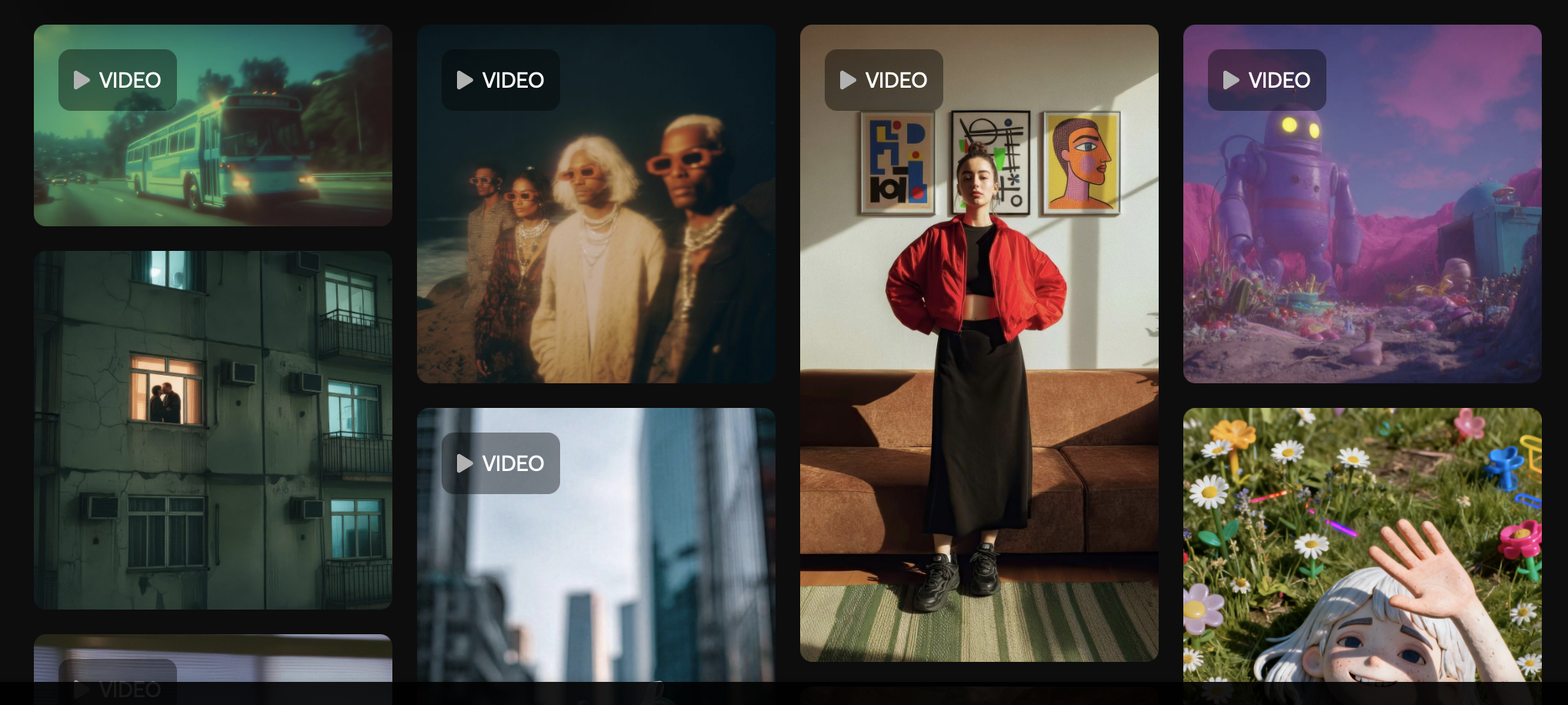
The AI-assisted model transforms the manual, linear workflow of the past into an agile, efficient process, drastically reducing production time.
In today's saturated digital environment, speed, quality, and consistency are non-negotiable. The creators and marketing teams who fail to adopt AI video editing tools risk being outpaced by competitors who can produce more content, faster, and with greater precision. The manual, linear workflow of the past is giving way to an agile, AI-assisted model where ideation, editing, and distribution happen at an unprecedented velocity. Adopting these tools is not about staying current; it's about survival and relevance in a rapidly evolving market.
What to Expect: Unprecedented Efficiency, Creative Freedom, and Accessibility
The integration of an AI video editor into your workflow promises a trifecta of benefits. Expect a dramatic reduction in time spent on repetitive tasks like cutting filler words, transcribing footage, and initial color grading. This newfound efficiency liberates you to focus on what truly matters: storytelling and creative expression. Furthermore, AI democratizes high-quality production, empowering solo creators and small teams with capabilities that were once the exclusive domain of large studios with massive budgets.
Why 2026 is the Defining Year for AI in Video
While AI has been simmering in the background for years, 2026 marks the convergence of several key factors: mature algorithms, accessible cloud computing power, and user-friendly interfaces. The tools are no longer experimental; they are robust, reliable, and deeply integrated into practical workflows. The question is no longer if you should use AI in your video production, but how you will leverage its power to transform your output and redefine your creative potential.
The Paradigm Shift: Why AI Video Editing is Non-Negotiable in 2026
Moving beyond a mere trend, AI-powered video editing represents a fundamental change in how we create visual content. It addresses the core challenges of modern video production—time, cost, and complexity—making it an essential component of any successful content strategy. Ignoring this shift is to willingly accept a competitive disadvantage in an increasingly video-first world.
Unlocking Unprecedented Efficiency and Speed in Video Production
The most immediate and tangible benefit of AI is the radical acceleration of the production timeline. Mundane tasks that once consumed hours or even days are now completed in minutes. Consider the process of editing a long-form interview. An AI video editor can automatically transcribe the audio, allow for Text-based editing, identify and remove filler words ('ums' and 'ahs'), and even create a rough cut based on the text. This isn't just a minor time-saver; it's a complete overhaul of the post-production process. For teams, the impact is even more profound; reports indicate that AI editing tools can boost team productivity significantly, enabling faster project completion and higher output.
Liberating Creative Control and Visual Storytelling
By automating the mechanical aspects of editing, AI tools free up creators to operate at a higher level of creative strategy. Instead of getting bogged down in the timeline, your energy can be directed toward refining the narrative, experimenting with visual styles, and perfecting the emotional impact of your videos. AI acts as a tireless assistant, handling the technical heavy lifting—from generating initial cuts to suggesting B-roll—so you can focus on the art of storytelling. This symbiotic relationship enhances human creativity rather than replacing it.
Democratizing High-Quality Video Production for All Creators
Professional-grade video production has historically been gated by expensive software and the steep learning curve required to master it. AI shatters these barriers. With intuitive interfaces and powerful automated features, individuals and small businesses can now produce polished, high-quality videos without extensive technical experience or a Hollywood budget. This democratization levels the playing field, allowing compelling stories and valuable content to find an audience, regardless of the creator's resources. In fact, Zebracat's research shows 63% of businesses using AI video tools report a 58% reduction in production costs compared to traditional methods.
The Competitive Edge: Staying Ahead in a Dynamic Digital Landscape
In a world where algorithms favor consistent, high-quality content, the ability to produce videos efficiently is a critical competitive advantage. AI-powered workflows enable you to react faster to trends, create more personalized marketing campaigns, and maintain a steady stream of content across multiple platforms. Creators who embrace these tools will not only work smarter but will also deliver a superior experience to their audience, capturing attention and building loyalty in a crowded digital space.
Navigating the AI Video Editing Landscape: A Strategic Framework for Adoption
Jumping into the world of AI video tools without a plan can be overwhelming. A strategic approach ensures you select the right solutions that integrate seamlessly into your existing process and solve your most pressing challenges, whether you're working on Windows or making a transition from Windows to Mac.
Identifying Your Workflow Bottlenecks and Goals
Before choosing any tool, conduct a simple audit of your current video creation workflow. Where do you spend the most time? Is it culling raw footage, cleaning up audio and removing background noise, creating social media clips, or generating captions? Identify your primary bottlenecks and define clear goals. Are you aiming to increase output, improve visual quality with features like AI color correction, or scale your video marketing efforts? Your answers will guide your tool selection.
Categorizing AI Tools by Their Core Functionality
AI video editing tools can be broadly grouped by what they do. Some are all-in-one platforms, while others specialize in specific tasks:
Generative Tools: Act as a video generator, creating content from text prompts or scripts.
Automated Editors: Handle tasks like transcription, filler word removal, and rough cuts.
Enhancement Tools: Improve audio quality, upscale video resolution, or perform AI color correction.
Repurposing Tools: Extract short, shareable clips like Magic Clips from long-form content.
Understanding these categories helps you build a custom "stack" of tools that addresses your specific needs.
Understanding Your Creator Archetype: Solo Creator, Marketing Team, or Professional Studio
The ideal AI toolset varies depending on who you are. A solo creator might prioritize an all-in-one solution that minimizes cost and complexity—often a single subscription you can put on a credit card. A marketing team will need tools that facilitate collaboration, branding, and scalable production for social media. A professional studio or editor may look for specialized plugins that integrate with their existing high-end software like Adobe Premiere Pro to accelerate specific tasks within a complex timeline.
Key AI-Powered Capabilities Transforming Video Editing Workflows
The true power of AI in video editing lies in a collection of specific, game-changing capabilities. These features are the building blocks of a transformed, modern workflow, automating the tedious so you can focus on the creative.
Generative AI for Content Creation: From Text to Visual Narratives
The most futuristic capability is generative AI, which can create entirely new video footage from simple text prompts using tools like Chat GPT to develop AI-generated scripts. While still evolving, these tools are already invaluable for generating abstract backgrounds, unique B-roll, and conceptual visuals that would be difficult or expensive to shoot. This moves part of the production process from the camera to the keyboard, opening up a new frontier for visual storytelling.
Automated Editing and Workflow Optimization
This is the workhorse category of AI video editing. Tools that automatically transcribe dialogue and allow you to edit the video by simply editing the text—a process known as Text-based editing—are revolutionizing the assembly process. They can intelligently remove silences, create multicam sequences from multiple speakers, and even suggest the best takes, condensing hours of manual logging and cutting into minutes of review. Some advanced platforms can even correct a presenter's eye contact to ensure they are always looking at the camera.
Visual Enhancement and Quality Restoration
AI algorithms can now perform sophisticated visual enhancements with a single click. This includes upscaling low-resolution footage to 4K, removing video noise from low-light shots, stabilizing shaky footage, and applying intelligent AI color correction based on the mood or subject of the scene. These features make it possible to salvage imperfect footage and achieve a consistently professional look without years of color grading experience.
Intelligent Audio Editing and Voice Generation
Poor audio can ruin a great video. AI-powered audio editing tools are exceptionally effective at removing background noise, balancing dialogue levels, and eliminating echo. Beyond enhancement, AI-powered text-to-speech has become remarkably human-like, providing a quick and cost-effective solution for creating voiceovers without hiring talent or using your own voice. This makes creating polished audio tracks accessible to everyone.
Streamlined Social Media and Marketing Video Production
AI excels at adapting content for different platforms. Specialized tools can analyze long-form videos, identify the most engaging moments, and automatically reformat them into vertical clips for TikTok, Instagram Reels, or YouTube Shorts, complete with animated captions. This makes cross-platform optimization and platform-specific edits a seamless, automated process. With mobile expected to drive over 75% of all video views by 2026, optimizing content for these platforms is crucial.
Workflow Transformation Blueprints: Integrating AI for Different Creator Archetypes
Here’s how different types of creators can strategically integrate AI tools to revolutionize their specific workflows, leveraging content automation and smart pre-sets.
The Solo Content Creator: Maximizing Output with Minimal Resources
For the solo creator, efficiency is paramount. The goal is a streamlined workflow that handles everything from ideation to export. Start with an AI-powered scriptwriter to brainstorm ideas. Use a tool with Riverside's AI features to record and then edit your video directly from the transcript. Next, run the audio through an AI enhancer for crystal-clear sound. Finally, use a repurposing tool to generate a week's worth of social media clips from your main video, maximizing the reach of every piece of content you produce.
Marketing Teams: Scaling Personalized Videos and Campaigns
Marketing small teams need to produce branded content at scale. Their AI workflow should focus on templating, content automation, and repurposing. Use AI to generate multiple ad script variations for A/B testing. Employ tools with brand kits and pre-sets that automatically apply logos, colors, and fonts to all videos. Leverage AI to create personalized video messages for sales outreach or customer support. The final step is using an AI-powered scheduler to distribute the content across all relevant social media channels.
Professional Editors: Enhancing Creativity and Efficiency in Post-Production
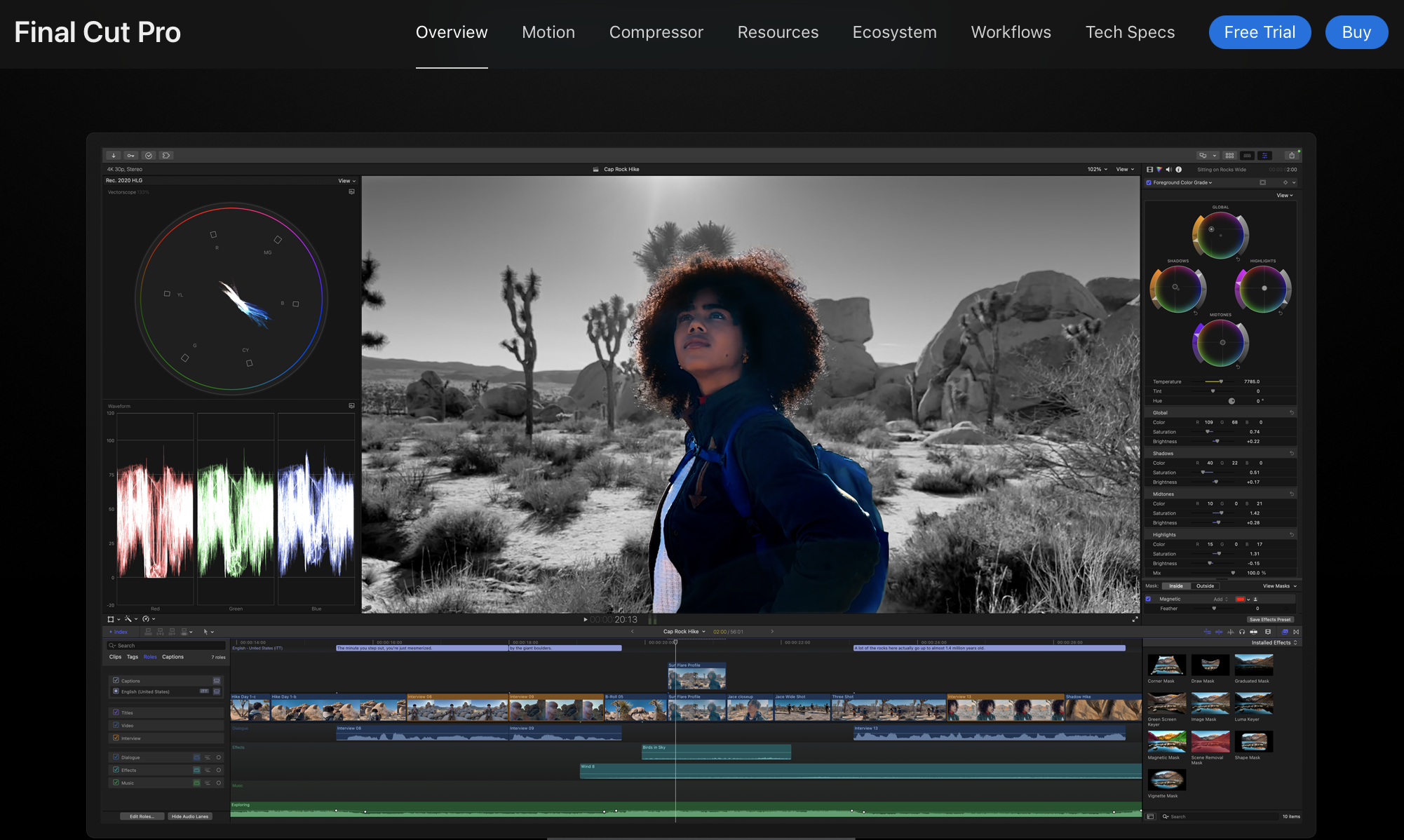
For professional video editors working in demanding environments, AI tools serve as powerful plugins and assistants rather than replacements. The workflow involves using AI to handle the time-consuming prep work. Use AI for initial transcription and rough assembly of interview footage within a program like Adobe Premiere Pro or Final Cut Pro. Employ specialized AI plugins for complex tasks like rotoscoping, object removal, or advanced color matching. This allows the editor to dedicate their expertise to the nuanced, creative decisions that AI cannot yet replicate.
Essential AI Video Editing Tools to Master in 2026
Choosing the right tool is critical. Here are nine essential, best-in-class AI platforms that address key parts of the modern video editing tools workflow.
Riverside: The All-in-One Script-Based Editing Powerhouse
Riverside has evolved beyond its origins as a high-quality remote recording platform. Riverside's AI and its text-based editor are a game-changer, allowing you to edit complex video and audio recordings as easily as editing a text document. Deleting a sentence in the transcript removes the corresponding video and audio segment from the timeline. This intuitive workflow is perfect for podcasts, interviews, and any dialogue-heavy content, dramatically speeding up the editing process.
Top 3 Key Features:
AI Text-Based Editing – Edit video by editing the transcript; deleting text removes the exact video/audio segment.
High-Quality Local Recording – Records locally up to 4K, ensuring clean video/audio even with poor internet.
Magic Clips (AI Clip Generator) – Automatically creates short, shareable social clips from long-form recordings.
Price:
Free plan available
Standard and Pro paid tiers with expanded recording, AI features, and export quality
Team/Enterprise options for collaboration and advanced admin tools
Who This Is For:
Podcasters, interviewers, and dialogue-heavy creators
Course creators and educators
Teams who want fast, simple editing without timeline complexity
Klap: Repurpose Content For Viral Success
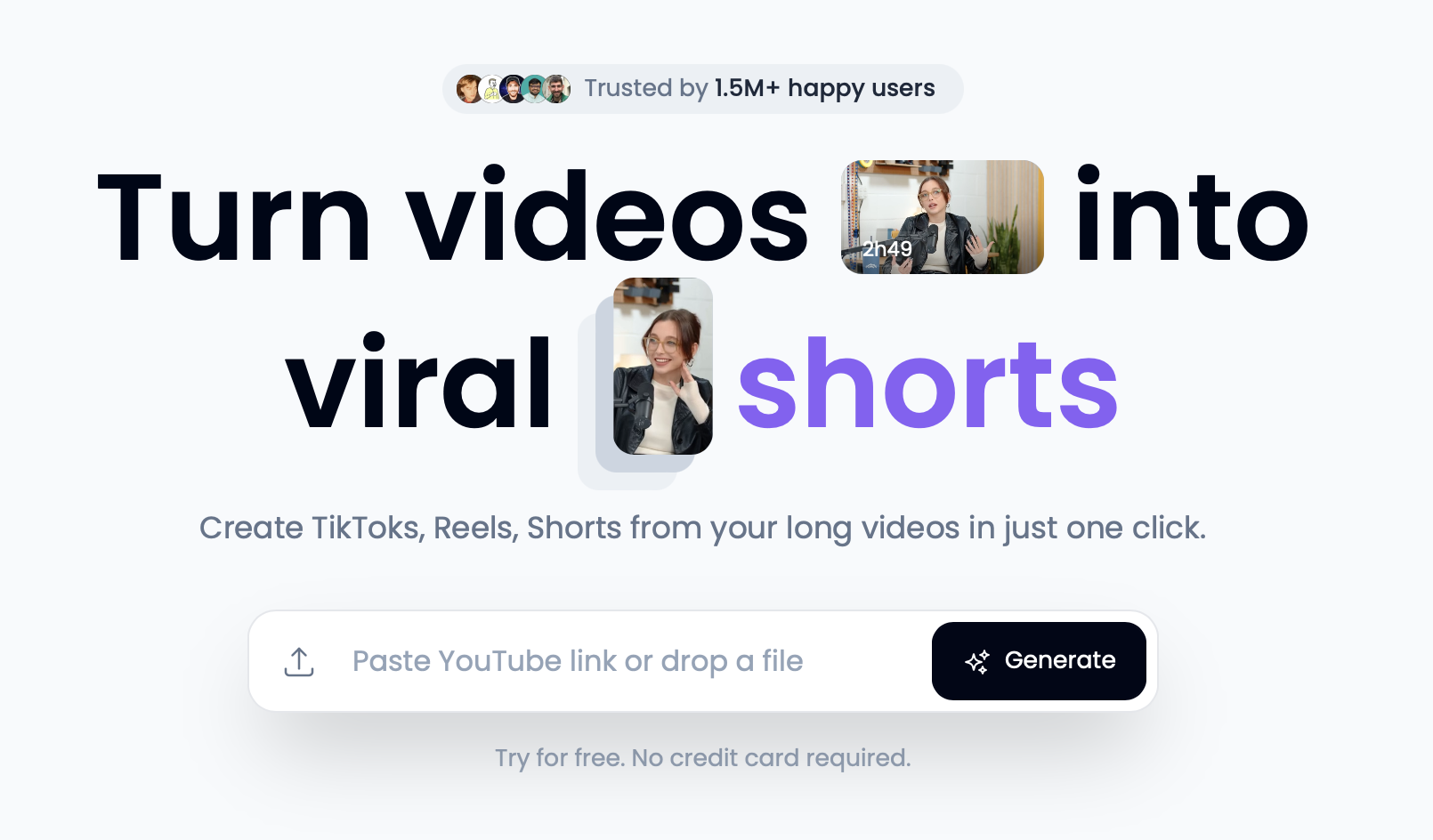
Klap is a specialized AI tool designed for one crucial task: turning long-form videos into a series of short, potentially viral clips for social media. It automatically identifies the most engaging topics in your video, reframes the shot to focus on the speaker, and generates dynamic, eye-catching captions. For creators looking to maximize their presence on platforms like TikTok and Instagram Reels, Klap automates one of the most time-consuming parts of content marketing. If you find yourself ready to try Klap, use code Red11Media for 30% off your payment.
Top 3 Key Features:
AI Auto-Clipping for Short-Form Video – Turns long videos into viral-ready clips for TikTok, Reels, and Shorts.
Smart Reframing & Dynamic Zoom – Automatically adjusts framing for vertical formats and adds creator-style punch-ins.
Auto Captions in Viral Styles – Generates attention-grabbing subtitles optimized for engagement.
Price:
Free trial with limited/watermarked clips
Paid tiers with clip credits, templates, and higher rendering limits
Business/Agency plans for high-volume social teams
Who This Is For:
Creators focused on short-form growth
Pods/YouTubers repurposing long content into clips
Agencies producing social content at scale
OpusClip: The Smartest AI Clip Generator for High-Conversion Social Content
OpusClip is one of the most advanced AI repurposing tools available today. Built specifically for maximizing virality and conversions, OpusClip doesn’t just cut your long video into smaller pieces—it evaluates each moment using AI “Virality Scores,” finds the strongest hooks, and produces auto-edited, captioned, and reframed shorts in minutes.
For creators who want a fast, scalable way to turn long-form videos into dozens of platform-ready social posts, OpusClip is a must-have.
Top 3 Key Features:
AI Virality Score – Scores each clip based on engagement potential so creators know exactly which moments will perform.
Auto Reframe & Punch-Ins – Converts horizontal footage to vertical with creator-style zooms and dynamic cuts.
Smart Captions & Templates – Adds bold, kinetic captions styled for TikTok, Reels, and Shorts.
Price:
Free plan with watermarks
Starter and Pro tiers for more clips, higher-quality exports, and custom branding
Agency plan for high-volume creators and teams
Who This Is For:
Creators scaling short-form output
YouTubers who want more Shorts without extra editing
Coaches, educators, and businesses repurposing long-form content for social media
VidIQ: Meet Your New YouTube Growth Coach
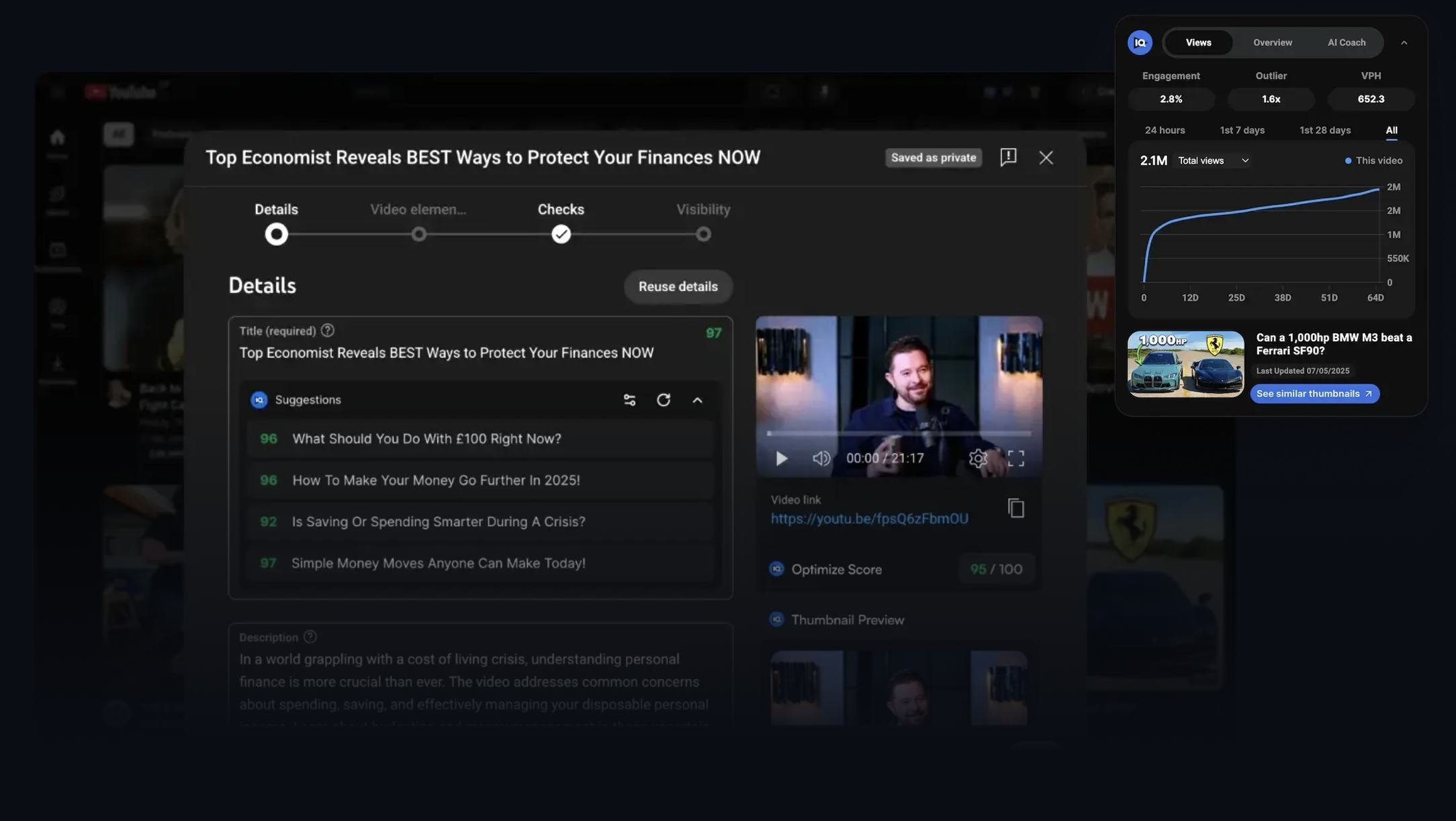
VidIQ integrates AI into the pre-production and post-production phases of your YouTube workflow. Its AI tools help you brainstorm video ideas, generate compelling titles and descriptions, and even design thumbnails that are optimized for higher click-through rates. It acts as a strategic partner, using data-driven insights to guide your content decisions and help you grow your channel more effectively, including creating YouTube Shorts.
Top 3 Key Features:
AI Content Ideas – Generates personalized topic suggestions tailored to your channel and niche.
AI Titles, Descriptions & SEO – Creates click-optimized titles and keyword-rich metadata.
Channel Audit & Growth Insights – Provides detailed analytics on what’s working, what’s not, and how to grow.
Price:
Free plan with basic tools
Pro and Boost plans for deeper SEO, thumbnail testing, and growth analytics
Enterprise options for teams managing multiple channels
Who This Is For:
YouTubers of all sizes seeking consistent growth
Brands and businesses using YouTube as a marketing channel
Creators who want data-driven strategy, not guesswork
Epidemic Sound and Artlist: Text To Speech, Music, and More
While known for their extensive royalty-free music libraries, Epidemic Sound and Artlist are heavily investing in AI. Their AI music search features help you find the perfect track based on the mood or theme of your video. Furthermore, their AI text-to-speech generators have become increasingly advanced, providing high-quality voiceovers in numerous languages and styles. This offers a powerful and affordable alternative to traditional voice recording.
Top 3 Key Features:
AI Music Search Tools – Quickly find tracks by mood, vibe, theme, or context.
AI Text-to-Speech Voiceovers – Generates natural-sounding voices in multiple languages and tones.
Massive Royalty-Free Music/SFX Libraries – High-quality audio across thousands of genres and styles.
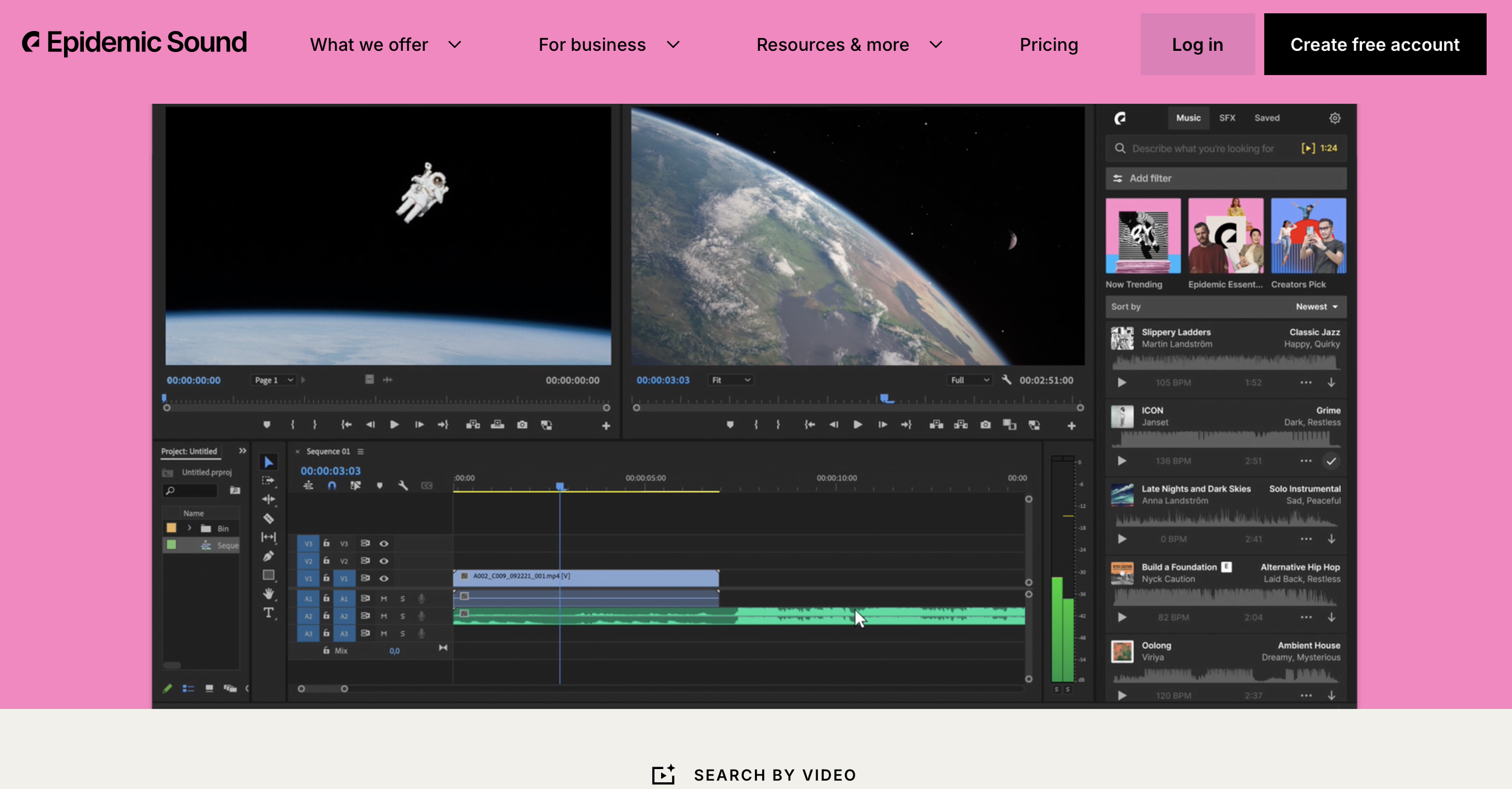
Price: Epidemic Sound // Artlist
Personal/Creator plans for social media
Commercial plans for client work and brand videos
Enterprise licensing for studios and large teams
Who This Is For:
YouTubers and creators who need safe, high-quality music
Editors and filmmakers needing large SFX libraries
Brands and agencies producing multilingual video content
Adobe Podcast (podcast.adobe.com): Studio-Quality Sound Without a Studio
Adobe Podcast (formerly Adobe Enhance Speech tools) brings astonishing AI power to podcasters, interviewers, and anyone working with spoken audio. Its browser-based tools can transform noisy, low-quality recordings into crisp, studio-like sound with a single click.
The platform also includes AI text-based editing, mic-checking, audio cleanup, and powerful transcription tools—making it ideal for creators who want professional-quality audio without learning a full DAW.
Top 3 Key Features:
Enhance Speech AI – Turns echo-filled or muffled recordings into clean studio-quality voiceovers.
AI Mic Check & Audio Cleanup – Diagnoses recording quality and auto-fixes common issues.
Text-Based Audio Editing – Edit audio by editing transcripts, similar to Descript-style workflows.
Price:
Free account with limited processing
Paid plans with more minutes, batch processing, and higher export quality
Team/Enterprise options for production houses
Who This Is For:
Podcasters, interviewers, and educators
Remote creators dealing with imperfect audio
Video editors wanting quick, automated voice cleanup
Adobe Premiere Pro (with Sensei AI): Professional Editing Reimagined
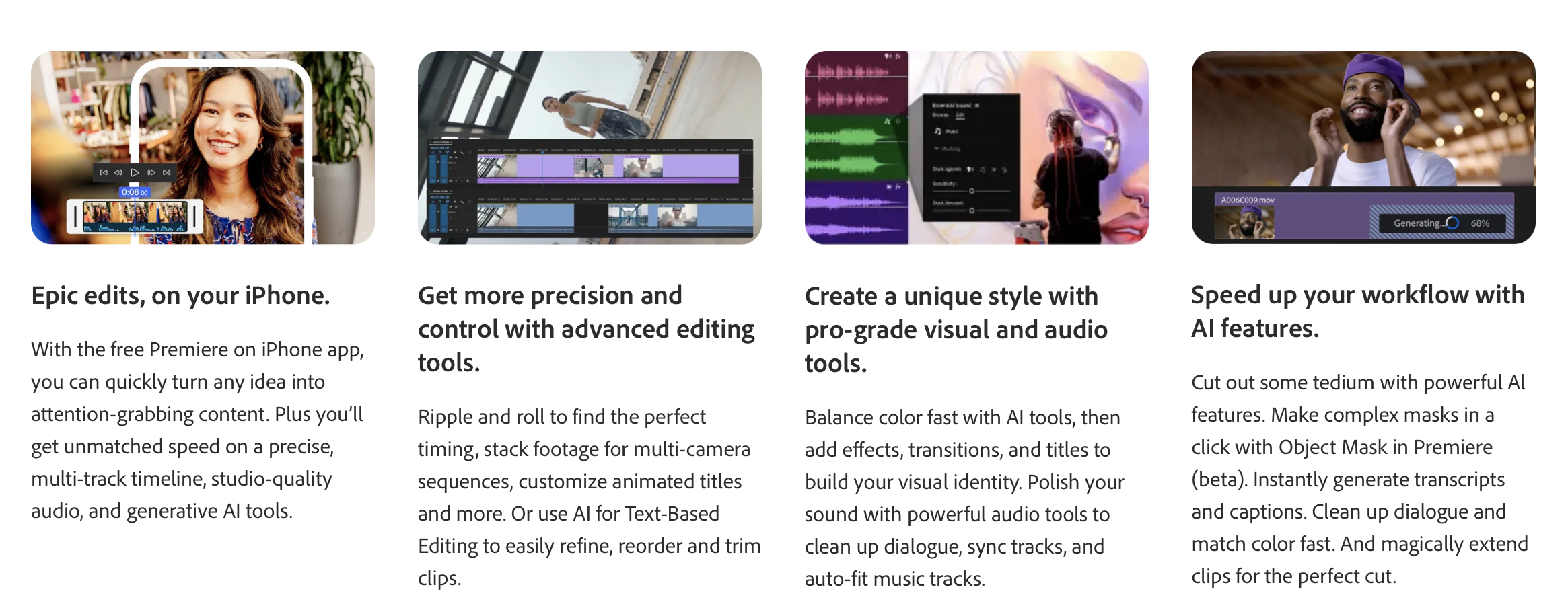
For professionals who require maximum control, Adobe Premiere Pro remains the industry standard. Its integrated AI engine, Adobe Sensei, is continually adding powerful features that make Premiere Pro an even more formidable tool. The "Text-Based Editing" feature mirrors the functionality of tools like Riverside within a professional-grade timeline. Sensei also powers features like "Auto Reframe," which intelligently adjusts video for different aspect ratios, and "Scene Edit Detection," which automatically adds cuts to an already-edited video. This demonstrates how AI is augmenting, not just replacing, traditional high-end software like Final Cut Pro.
Top 3 Key Features:
Text-Based Editing – Transcript-driven editing within a professional timeline.
Auto Reframe (Sensei AI) – Instantly converts footage to vertical/square formats with intelligent cropping.
Scene Edit Detection – Detects cuts in pre-edited footage for faster repurposing and cleanup.
Price:
Adobe Premiere Pro subscription
Creative Cloud All Apps bundle
Team and Enterprise plans for collaboration
Who This Is For:
Professional editors and production teams
Filmmakers and brands needing full creative control
Creators moving from simple editors to pro-level workflows
DaVinci Resolve (with Neural Engine): Hollywood-Level AI Editing
DaVinci Resolve continues to dominate the professional editing landscape, thanks to its powerful DaVinci Neural Engine—a suite of AI tools that make high-end color grading, visual effects, and audio polishing easier than ever.
Resolve’s AI-powered features now rival (and sometimes surpass) those found in Adobe Premiere Pro, especially in color correction, face tracking, upscaling, and cut-page workflows.
Top 3 Key Features:
AI Upscaling & Super Resolution – Enhances low-resolution footage to near-4K quality.
Magic Mask (AI Object Tracking) – Automatically isolates people, clothing, or objects for precise color and VFX work.
Dialogue Leveling & Voice Isolation – AI-powered Fairlight tools that clean, balance, and polish audio instantly.
Price:
DaVinci Resolve: Free
DaVinci Resolve Studio: One-time purchase with expanded AI features
Team and post-production studio packages
Who This Is For:
Professional video editors & colorists
Filmmakers needing advanced VFX, grading, and audio
Creators leveling up from consumer tools to pro workflows
Conclusion
The era of AI-driven video production is here, and 2026 is the year to fully embrace it. The tools and capabilities discussed are not just incremental improvements; they represent a fundamental reimagining of the entire video creation workflow. By automating tedious tasks, AI liberates creators to focus on innovation and storytelling. It lowers the barrier to entry, enabling more voices to be heard, and provides a crucial competitive edge in a crowded digital landscape. Research already projects that this shift will lead to a significant increase in productivity for creators by 2026.
But the significance of this moment extends far beyond efficiency or convenience. What we are witnessing is the democratization of high-quality production — a leveling of the playing field that once favored only those with expensive equipment, advanced technical skills, or full editorial teams. With AI becoming more accessible and intuitive, creators at every level can now produce polished, professional content that would have required specialized training just a few years ago. Whether you’re a solo entrepreneur, an educator, a filmmaker, or a brand, these tools empower you to operate with the capabilities of a fully staffed production house.
And as AI continues to evolve, its role will shift from simply helping you edit faster to actively shaping the creative process itself. We’re already seeing glimpses of this with tools that propose edits, generate script ideas, repurpose content into multiple formats, and even help predict what will resonate most with your audience. This kind of intelligence doesn’t replace human creativity — it amplifies it. It gives you the space to think bigger, experiment more, and execute ideas that once felt too time-consuming or resource-intensive to attempt.
The creators who thrive in 2026 and beyond will not necessarily be the ones with the biggest budgets or largest teams. They will be the ones who understand how to strategically leverage these emerging technologies to remove friction, increase output, and raise the overall quality of their storytelling. Consistency becomes easier. Multiplatform distribution becomes seamless. Repurposing becomes automatic. Instead of choosing between quantity and quality, AI finally makes it possible to achieve both.
Your next step is to take action. Begin by auditing your current workflow to identify your biggest pain points. Are you spending too much time editing? Struggling to keep up with short-form platforms? Losing hours searching for the right music, sound effects, or structure for your videos? Overwhelmed trying to plan, script, or optimize content for discoverability? Whatever your challenges are, there is now an AI tool purpose-built to solve them.
Experiment with one or two of the AI video editing tools mentioned that directly address those challenges. You don’t have to overhaul your entire workflow at once. Start small, learn the capabilities, and progressively integrate them more deeply into your process. Get comfortable with how these tools interpret your footage, how they automate repetitive steps, and how they help you deliver stronger content in less time. Over a few weeks, you’ll begin to notice not just increased efficiency but also greater clarity in your creative vision — because the mental clutter caused by technical tasks will finally be out of your way.
Once you begin to understand the strengths of these tools, you can start layering them together: automated editing with intelligent reframing, enhanced audio from AI libraries, improvement of YouTube SEO with AI insights, and rapid content repurposing for social platforms. Each layer compounds the impact of the others. Before long, your entire production ecosystem becomes faster, more organized, and more capable of scaling as your audience grows.
The future of video belongs to those who partner with intelligence to create faster, smarter, and more impactfully than ever before. Those who embrace this shift now will find themselves leading in 2026 — producing more content, reaching more people, and telling better stories than they ever thought possible. AI is not just transforming video creation; it is redefining what’s creatively possible. And now is the moment to step boldly into that future.
Frequently Asked Questions
-
The best AI video editing tools include Riverside for text-based editing, Klap and OpusClip for repurposing long videos into short clips, vidIQ for YouTube growth, Adobe Podcast for audio cleanup, and Adobe Premiere Pro or DaVinci Resolve for professional editing with built-in AI. Each addresses different workflow needs. Most creators benefit from combining two or three specialised tools rather than relying on a single all-in-one platform.
-
No, AI won't replace video editors entirely, but it will reshape the role significantly. AI handles repetitive tasks like transcription, rough cuts, captions, and reframing, freeing editors to focus on creative direction, storytelling, and complex post-production work. Editors who learn to leverage AI tools strategically will become more productive and valuable, while those who refuse to adapt risk falling behind colleagues using AI to deliver work faster.
-
AI video editing tools range from free to professional pricing. Many offer free tiers with watermarks or limited features. Specialised tools like Klap and OpusClip start around $9 to $29 monthly. Riverside ranges from $15 to $29 per month. Adobe Premiere Pro costs around $20.99 monthly. DaVinci Resolve offers a free version with Studio costing around $295 one-time. Combining several tools typically costs $50 to $100 monthly.
-
AI-edited videos increasingly match manual editing quality for routine tasks like rough cuts, captions, audio cleanup, and short-form repurposing. However, complex creative editing, nuanced pacing decisions, sophisticated storytelling, and high-end visual effects still benefit from human expertise. The best results come from combining AI automation for tedious tasks with human creative direction, allowing editors to focus on decisions that truly impact viewer engagement.
-
Start by auditing your current workflow to identify your biggest time-consuming bottlenecks, whether that's transcription, short-form repurposing, audio cleanup, or initial cuts. Choose one or two AI tools that directly address those specific pain points rather than overhauling everything at once. Test free trials, learn the tools gradually, then layer additional AI tools as you become comfortable. This staged approach prevents overwhelm and builds sustainable habits.