
Best Password Manager for small businesses in 2026
The best password manager for small businesses in 2026 is 1Password, thanks to its Zero-knowledge architecture, AES 256-bit encryption, Watchtower breach monitoring, role-based vault permissions, and seamless integrations with Google Workspace, Slack, and SSO providers. Plans start at $7.99 per user monthly with a 14-day free trial. Compared to alternatives like LastPass, 1Password offers stronger security through its unique Secret Key system and a cleaner admin experience.
In the digital landscape of 2026, the sheer volume of logins, credentials, and sensitive data a small business must manage is staggering. From social media and banking to cloud services and client portals, each entry point represents both an opportunity and a vulnerability. For years, many businesses relied on risky shortcuts: spreadsheets, sticky notes, or dangerously reused passwords. This approach is no longer sustainable, leaving many business owners on the hunt for the best password manager. The threat of a sophisticated data breach is not a question of if, but when, and small businesses are increasingly prime targets.
Strengthening your company's defenses begins with foundational security practices. This is where professional password managers become an indispensable asset. A dedicated business password manager is more than just a digital notebook; it's a command center for your company's digital identity, designed to fortify your overall security posture against a constantly evolving array of cyber threats. We chose to build our security strategy around 1Password, a solution frequently recommended by cybersecurity experts for its robust architecture and user-centric design. This article will explore why it stands as a top choice for small businesses looking to secure their digital operations for the future.
EASE OF USE
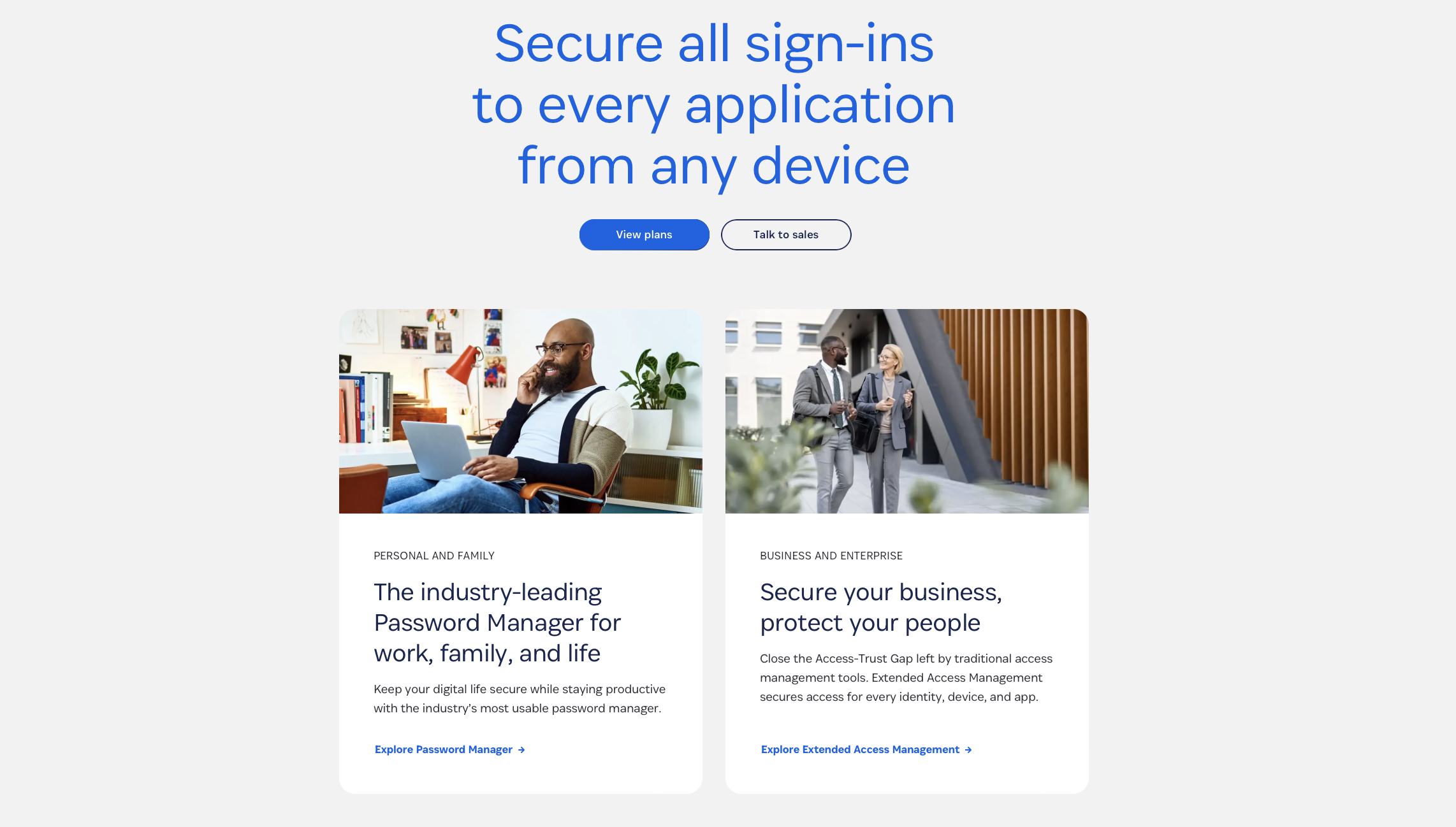
For any security tool to be effective, it must be adopted and used consistently by your team. This is where 1Password excels. Once implemented, it integrates seamlessly into your daily workflow through intuitive browser extensions and native applications. The core principle is simple yet powerful: you only need to remember a single, strong master password to unlock access to all your other credentials.
Instead of fumbling through spreadsheets or resetting forgotten passwords, employees can log into essential platforms like QuickBooks, Salesforce, or Google Workspace with a single click. The 1Password icon appears directly in login fields, ready to autofill credentials instantly and accurately. This functionality extends beyond passwords to include addresses, credit card details, and other frequently used information, dramatically speeding up online forms and checkouts.
For businesses looking to further streamline access, 1Password also supports integrations that enable single sign-on (SSO). This allows employees to access multiple applications using one set of credentials, reducing password fatigue and enhancing security by centralizing authentication. By removing the friction typically associated with strong security, 1Password encourages widespread adoption and reinforces good security habits across the entire organization.
INTEGRATIONS THAT BOOST PRODUCTIVITY
1Password becomes even more powerful when paired with the tools your team already uses. It integrates seamlessly with platforms like Google Workspace, Slack, and Azure AD/Okta to streamline authentication and simplify user management. Browser integrations across Chrome, Safari, Firefox, and Edge ensure your team can autofill credentials effortlessly wherever they work. These connections reduce friction, enhance productivity, and help maintain consistent security practices throughout your daily operations.
STREAMLINING SECURITY WITHOUT SLOWING YOUR TEAM
Strong security measures are only effective if they fit seamlessly into your team’s daily workflow. 1Password is designed with this balance in mind, offering robust protection without adding unnecessary friction or slowing productivity. Features like autofill, smart browser integrations, and secure shared vaults help your team work faster while maintaining best-in-class security standards. By reducing login fatigue and simplifying access to essential tools, 1Password empowers employees to stay secure without sacrificing efficiency. This balance is crucial for small businesses that need to move quickly without compromising their digital safety.
SECURITY
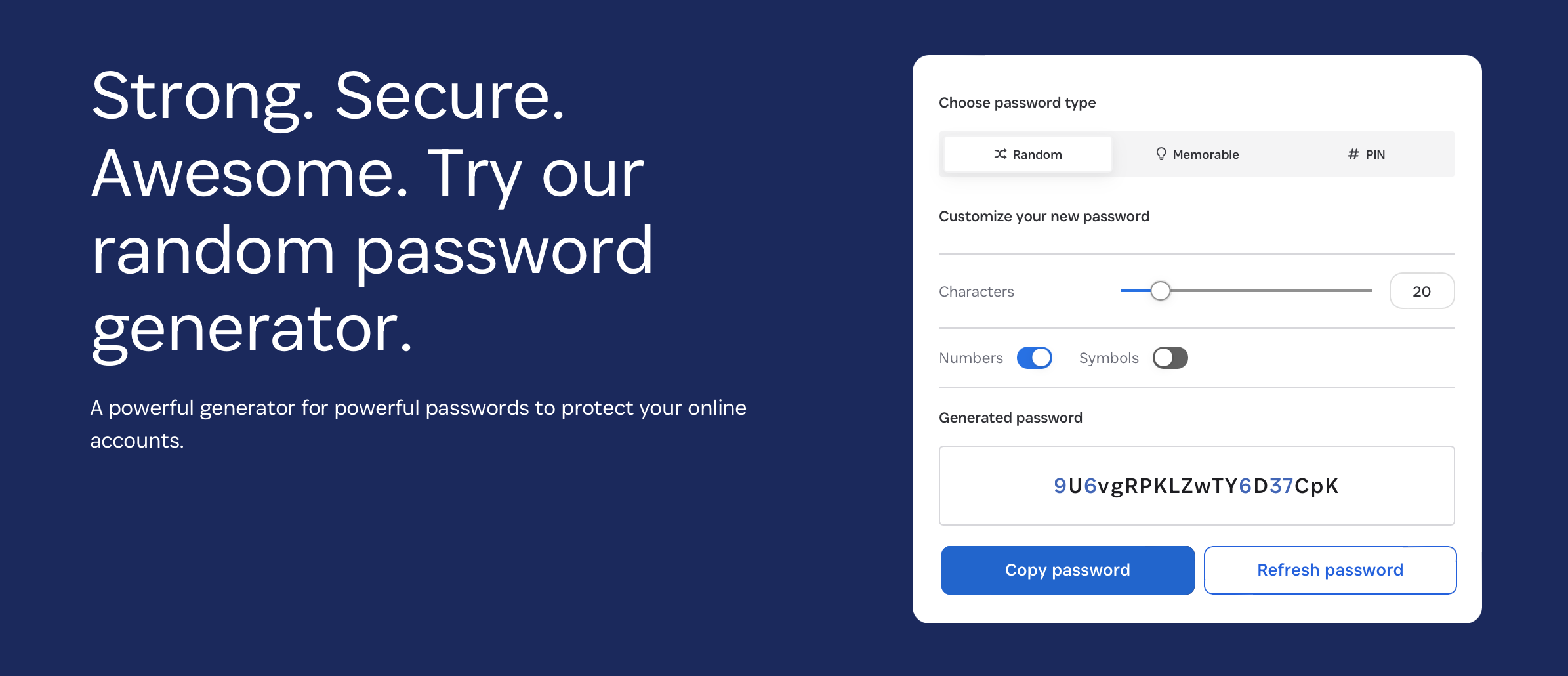
Cybersecurity is a non-negotiable priority for any modern business, especially those handling sensitive client data. A robust password security strategy is the first line of defense, and 1Password is built on a foundation of uncompromising security principles. Its most powerful feature is the ability to generate and store long, complex, and unique passwords for every service you use. This immediately eliminates the single greatest vulnerability for most businesses: password reuse.
At the heart of its design is a Zero-knowledge architecture. This means that all your data is encrypted and decrypted locally on your device, and only you have the keys. 1Password as a company cannot access your sensitive information, ensuring your data remains private even from them.
Furthermore, the platform strongly advocates for multi-factor authentication (MFA), a critical security layer that requires a second form of verification beyond just the password. This goes a step beyond basic two-factor authentication (2FA) by supporting various methods, including authentication apps and physical security keys. This layered approach ensures that even if a password were to be compromised, unauthorized access to your accounts would be thwarted.
Duplicate Passwords
One of the most immediate security improvements 1Password offers is its ability to audit your existing password hygiene. After importing your credentials, the Watchtower feature acts as a centralized security dashboard, scanning for vulnerabilities. It immediately flags any duplicate passwords, which are a major risk in credential-stuffing attacks where hackers use a password from one breach to try and access other accounts. The dashboard also rates the strength of each password, providing a clear, color-coded visual guide: red for weak, green for strong. This empowers you to systematically identify and remedy your most significant security risks.
Encryption
1Password's security is anchored by industry-leading encryption protocols. Your entire Password Vault—the secure digital container holding all your logins, notes, and sensitive data—is protected by end-to-end authenticated encryption using AES 256-bit. This is the same encryption standard trusted by governments and financial institutions worldwide. As 1Password states on its website, "This makes it impossible for someone to learn anything by intercepting your data while it's in transit." This robust encryption ensures that your information remains completely unreadable and secure from any unauthorized access.
Safely Share Passwords
In a collaborative business environment, sharing credentials is often a necessity. However, sending passwords via email or chat is a significant security flaw. 1Password provides multiple secure methods for collaboration. You can share individual credentials with specific people for a limited time, even setting them to be viewed only once.
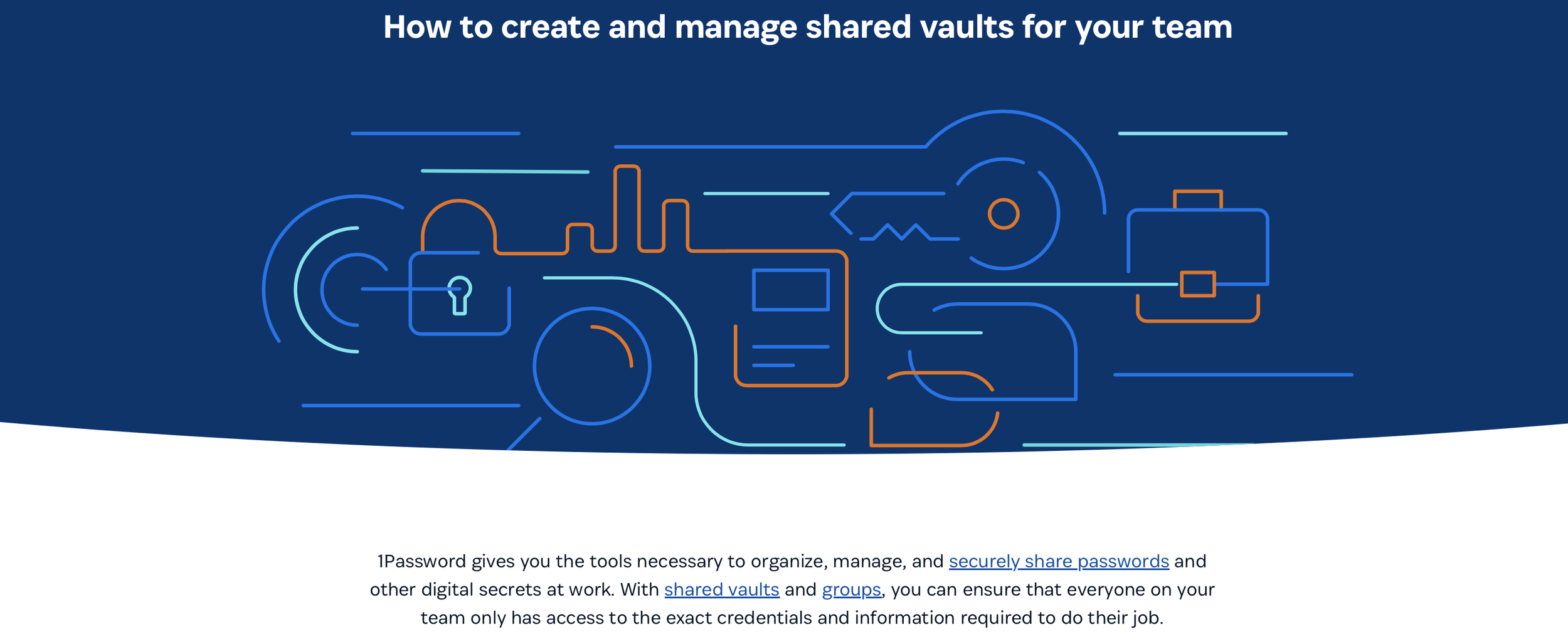
For team-based workflows, the platform's system of shared vaults is the ideal solution. Administrators can create separate vaults for different projects, departments, or clients and grant access based on job functions. This is managed through granular controls for role-based access and role-based permissions, allowing you to decide precisely who can view, edit, or manage the credentials within each vault. This ensures employees have access only to the information they need, minimizing your company's attack surface.
Security Breaches and Phishing Protection
Proactive threat detection is a cornerstone of modern cybersecurity. 1Password’s Watchtower feature provides constant breach monitoring, alerting you if any of your saved credentials appear in a known public data breach. It also offers Dark web monitoring for business accounts to identify potential corporate credential leaks. This peace of mind comes from knowing you have an automated system looking out for your company's digital footprint.
Additionally, 1Password offers powerful protection against phishing scams. Because its browser extension ties your login credentials to specific, verified website addresses, it will not autofill them on a fraudulent look-alike site. This simple but effective mechanism prevents employees from accidentally entering sensitive information into malicious websites designed to steal their credentials.
With these powerful protections in mind, it’s worth understanding how 1Password’s security model stacks up against other popular password managers on the market. Let's do a quick comparison between 1Password and another leader in the password manager market.
1PASSWORD VS LASTPASS: SECURITY ARCHITECTURE
When comparing password managers, the underlying security design is one of the most important differentiators. Both 1Password and LastPass use industry-standard encryption, but the way they approach data protection diverges in meaningful ways.
1Password’s security model is rooted in its Secret Key—an additional cryptographic component unique to each user and device. This, combined with its Zero-knowledge architecture, ensures that even if encrypted data were intercepted, it would be virtually impossible to decrypt without both the master password and Secret Key.
LastPass also relies on Zero-knowledge principles, but its centralized architecture has historically left room for concern. Highly publicized security incidents in recent years have caused many small businesses to rethink their risk tolerance. While LastPass has improved its security posture since, 1Password’s layered cryptography and lack of major breaches make it the more reassuring choice for organizations prioritizing long-term trust.
Beyond cryptography and breach protection, small businesses also need a solution that simplifies the day-to-day management of users and permissions.
TEAM MANAGEMENT: HOW 1PASSWORD AND LASTPASS HANDLE USERS
User management is essential for any growing business, and both platforms offer robust tools for onboarding, offboarding, and managing team permissions.
1Password provides a clear, intuitive admin console that allows you to assign vaults, enforce MFA, and immediately revoke access the moment an employee leaves. Its role-based controls are straightforward, making it easy for non-technical managers to oversee credential distribution responsibly.
LastPass Business similarly offers user provisioning and shared folders, but many administrators find its interface less polished. While functional, it requires more steps to configure permissions and track user activity. For a small business without a dedicated IT department, 1Password’s cleaner workflow and more accessible design can significantly reduce administrative overhead.
Of course, features alone aren’t the whole story—budget and long-term value play a critical role when choosing the right password manager for your team.
PRICING AND VALUE FOR SMALL BUSINESSES
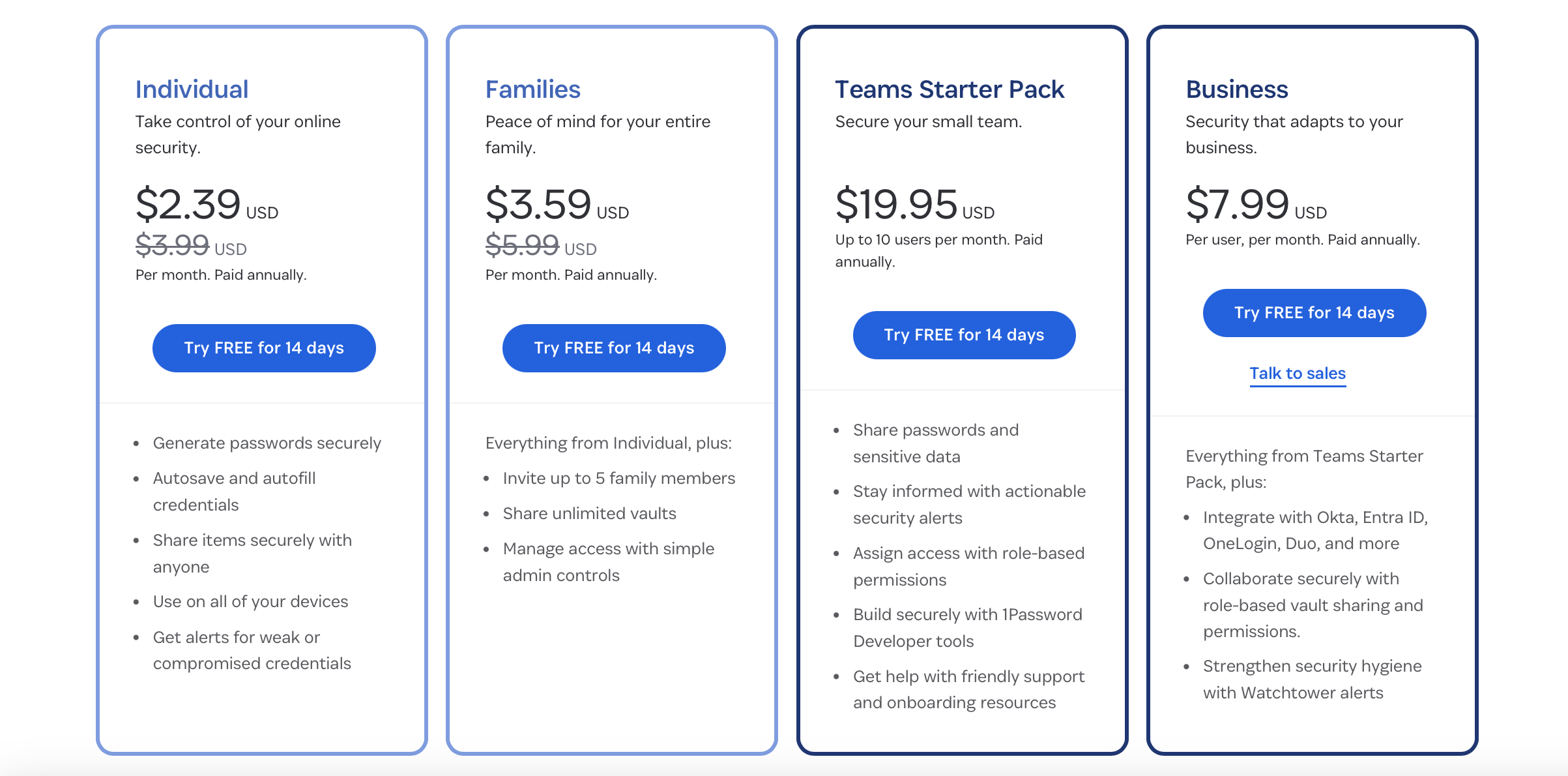
Cost is always a consideration, especially for small teams trying to stretch every dollar. At first glance, LastPass may appear slightly more affordable depending on the plan, but the real value becomes apparent when you factor in long-term security and productivity.
1Password Business includes thoughtful benefits—such as complimentary family accounts for team members—which encourage security hygiene beyond the workplace. This seemingly small perk often results in better adoption and fewer support requests.
LastPass offers competitive pricing, but its feature set varies more widely between tiers, and certain capabilities require additional configuration. For businesses wanting predictable value and a smooth onboarding experience, the overall cost-to-benefit ratio tends to favor 1Password.
Ultimately, the best tool is the one your team will actually use consistently, making the overall user experience an essential part of the comparison.
USER EXPERIENCE: DAILY WORKFLOWS COMPARED
Ease of use directly impacts whether your team actually follows secure practices. Both 1Password and LastPass integrate well with major browsers and devices, but the day-to-day experience differs subtly—and those differences matter.
1Password’s interface is clean, modern, and intentionally designed to minimize friction. Autofill is fast and reliable, vaults are clearly organized, and users rarely struggle with navigation. This consistency encourages widespread adoption, even among less tech-savvy employees.
LastPass provides similar functionality but historically has faced occasional reliability issues with autofill and browser extensions. While many of these have improved, the platform can still feel more utilitarian. In a busy small business environment where every second counts, 1Password’s smoother workflows help keep your team moving efficiently while maintaining strong security habits.
ORGANIZATION
Effective organization is crucial for managing a company's vast collection of digital credentials, and this is another area where a true business password manager shines. While a solo entrepreneur might manage with a single vault, growing teams require a more structured approach to maintain security and efficiency.
The primary organizational tool within 1Password is the vault system. Think of vaults as secure, shared folders for different categories of information. At Red 11 Media, we create dedicated shared vaults for each client, containing all the logins necessary for their projects. Other businesses might create vaults for "Finances," "Marketing Tools," or "IT Infrastructure."
This entire system is managed through a powerful admin console. This central hub gives administrators complete oversight and control over the company's password security. From the console, you can onboard new employees, offboard departing ones (instantly revoking access), manage vault permissions, and enforce security policies, such as requiring strong master passwords or MFA. This level of centralized control is essential for scaling your business securely.
THE DOWNSIDES OF 1Password
No platform is without its considerations, and it is important to have a balanced perspective. One of the initial hurdles can be the increased security friction. You will be prompted for your master password more frequently than if you rely on a browser's less-secure password-saving feature. While this can feel repetitive, it is a deliberate security measure. Setting up biometric authentication (like a fingerprint or facial recognition) on your devices can significantly mitigate this annoyance while maintaining security.
Another potential downside is the initial learning curve for team members who are not technologically inclined. While the platform is designed to be user-friendly, migrating from old habits requires a clear onboarding process and training. Finally, unlike some free or basic password managers, 1Password is a premium, subscription-based service. For small businesses on a tight budget, this represents a recurring cost. However, when weighed against the potentially catastrophic cost of a data breach, the investment in a robust security tool is often considered a critical business expense.
HOW TO UPDATE YOUR PASSWORDS IN 1Password
Migrating to 1Password is a straightforward process that presents a perfect opportunity to overhaul your company's password hygiene. Most users can easily import existing passwords from their browser extensions (like Chrome or Firefox) or other password management tools.
Once your data is imported, however, the real work of improving your security begins. You will likely discover that many imported passwords are weak, reused, or have been exposed in past breaches. This is where a strategic approach is necessary.
Step 1: Use the Watchtower security dashboard to identify your highest-risk accounts. Prioritize updating passwords that are marked as weak, reused, or compromised.
Step 2: Navigate to the first website you need to update. Use 1Password to sign in with your old credentials.
Step 3: Go to the website's password change settings. When prompted to create a new password, use 1Password's built-in password generator to create a long, random, and strong password.
Step 4: Save the newly generated password in 1Password. It will automatically update the existing entry for that site, ensuring your information is current and secure.
By following this process systematically, you can quickly and efficiently elevate your company's security from a position of vulnerability to one of strength.
SIGN UP FOR 1Password
Taking control of your company's digital security is one of the most important steps you can take to ensure its long-term viability. Signing up for a 1Password Business account is a proactive investment in your operational resilience. Even a small team can quickly accumulate a dangerous number of weak or reused passwords, and the problem only grows with your company. Business accounts offer premium features, and many plans include free family accounts for each employee, encouraging good password security habits in both their professional and personal lives.
You can try 1Password Business free for 14 days to see how it fits your workflow. Plans are affordable, starting at just $7.99 per month per user, providing an accessible entry point to enterprise-grade security.
Conclusion
In 2026, navigating the complexities of the digital world without a dedicated business password manager is an unnecessary risk. The consequences of a single data breach—from financial loss to reputational damage—can be devastating for a small business. Implementing a tool like 1Password is a foundational step in building a resilient security posture. It replaces insecure habits with a centralized, encrypted, and highly efficient system for managing credentials.
By leveraging powerful features like a secure Password Vault, multi-factor authentication, an administrative console with role-based permissions, and proactive breach monitoring, you empower your team to work securely and productively. The transition requires a commitment to changing old habits, but the return on investment—measured in saved time, reduced risk, and peace of mind—is invaluable. Securing your digital assets is not just an IT task; it is a core business function essential for future growth and success.
Frequently Asked Questions
-
1Password is widely considered the best password manager for small businesses thanks to its strong security architecture, ease of use, and team management features. The platform uses Zero-knowledge architecture, AES 256-bit encryption, and a unique Secret Key system that makes data virtually impossible to decrypt without authorisation. Built-in tools like Watchtower monitor for breaches, while shared vaults simplify team credential management with role-based permissions.
-
1Password Business plans start at $7.99 per user per month with a 14-day free trial available. Each business account includes complimentary family plans for team members, encouraging better password hygiene beyond the workplace. Pricing scales with team size, and Enterprise plans offer custom pricing for larger organisations needing advanced features. The investment typically pays for itself quickly through productivity gains and reduced security risks.
-
Yes, 1Password is generally considered better than LastPass for small businesses in 2026. 1Password's unique Secret Key system adds an extra cryptographic layer that LastPass doesn't offer, and its admin console provides cleaner workflows for non-technical managers. LastPass faced significant security incidents in recent years that damaged user trust. 1Password has a strong track record without major breaches, making it the more reassuring choice for long-term security.
-
1Password uses Zero-knowledge architecture, meaning all data is encrypted and decrypted locally on your device using AES 256-bit encryption. The company itself cannot access user data. Each account also receives a unique Secret Key that combines with the master password, making decryption virtually impossible without both. Multi-factor authentication, biometric login support, and Watchtower breach monitoring provide additional security layers protecting against phishing and credential theft.
-
Yes, 1Password offers multiple secure sharing methods designed for team collaboration. Shared vaults let administrators group credentials by project, client, or department and assign role-based access permissions. Administrators control exactly who can view, edit, or manage each vault. Individual passwords can also be shared securely with limited-time access or single-view links. This eliminates risky practices like emailing passwords or sharing via chat applications.
